More SharePoint Governance, Information Architecture and *Sensemaking* Classes Planned
 Hi all
A big chunk of last year had me off under a metaphorical mushroom, putting together several days of courseware on the topic of SharePoint Governance and Information Architecture. My take on these topics are influenced from some odd places, and the course drew on a lot of the non IT work that I do, that involves collaboration on some very complex problems indeed.
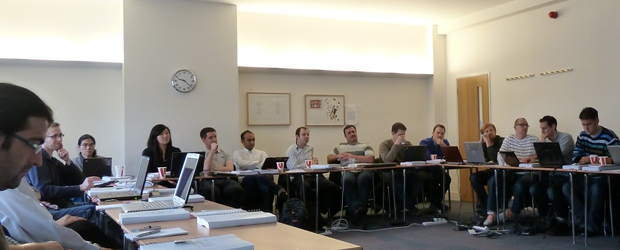
In November and December of 2010, we took this “on the road”, so to speak, firstly in Dublin, then London and Sydney. The courses were sold out and feedback was terrific. Here are a few choice quotes (check out the hyperlinks for full reviews)
“Did it meet my expectations? Well I’d have to say that it far exceeded them. There had obviously been a large amount of effort in preparing the courseware and modules. They covered the important missing links currently absent from the Microsoft and traditional training courses” – Wes Hackett.
“I’ve just finished the second day of the SharePoint 2010 Governance and Information Architecture Master Class presented by Paul Culmsee with the support of Andrew Woodward . I can wholeheartedly say it was one of the best courses I’ve attended both in content and presentation style and they deserve a lot of credit for putting together a fantastic course. Paul in particular has put a huge amount of effort into the slidedeck, sample documents and enormous manual (almost 500 pages worth!) let alone all the great additional insight he could provide in person over both days” – Brendan Newell
“Finally …. after 12 years in the IT industry a course which covers some of the fundamental issues governing project success. This course is a real eye opener and a must for any IT professional involved in project planning and delivery” - Stephen McWilliams
“I just came back from the best technology training I have had in years: a world-first Microsoft SharePoint Elite Information Architecture course designed and delivered by Paul Culmsee. It has taught me a great deal across ALL facets of the day-to-day work that I do as a SharePoint architect” – Jess Kim
Based on this and similar feedback, we are going to do it again. Locations confirmed so far are London (#SPIAUK), Sydney (#SPIAAU) and Wellington (#SPIANZ) in February and March 2011 and in the pipeline is The Netherlands (#SPIANL) and at least a couple of US cities!
In addition to the unique content on these classes, I am honoured to announce that I am now authorised to teach the official Cognexus Issue Mapping courseware – the only non Cognexus Dialogue Mapping practitioner authorised to do so. As such, we will be running the inaugural Issue Mapping class in London in late February as well (wohoo!)
So, here are the details for each location:
Wondering what to expect in these classes? Read on!
SharePoint Governance and Information Architecture Master Class. 2 full days of real world, examples knowledge and techniques
Most people understand that deploying SharePoint is much more than getting it installed. Despite this, current SharePoint governance documentation abounds in service delivery aspects. However, just because your system is rock solid, stable, well documented and governed through good process, there is absolutely no guarantee of success. Similarly, if Information Architecture for SharePoint was as easy as putting together lists, libraries and metadata the right way, then why doesn’t Microsoft publish the obvious best practices?
In fact, the secret to a successful SharePoint project is an area that the governance documentation barely touches.
This master class pinpoints the critical success factors for SharePoint governance and Information Architecture and rectifies this blind spot. Paul‘s style takes an ironic and subversive take on how SharePoint governance really works within organisations, while presenting a model and the tools necessary get it right.
Drawing on inspiration from many diverse sources, disciplines and case studies, Paul has distilled the “what” and “how” of governance down a simple and accessible, yet rigorous and comprehensive set of tools and methods that organisations large and small can utilise to achieve the level of commitment required to see SharePoint become successful.
Master class aims:
- Present SharePoint governance and Information Architecture in a new light – focus on the “blind spots” where the current published material is inadequate
- Cover lessons learned from Paul’s non IT work as a facilitator and sensemaker in complex large scale projects
- Examine the latest trends in the information landscape for industry and government and review studies that inform governance and Information Architecture efforts
- Present an alternative approach to business-as-usual SharePoint governance planning that focuses on real collaboration
- Provide quality information that is rigorous yet accessible, entertaining and interesting
Master class outcomes:
- Understand the SharePoint governance lens beyond an IT service delivery focus
- Develop your ‘wicked problem’ radar and apply appropriate governance practices, tools and techniques accordingly
- Learn how to align SharePoint projects to broad organisational goals, avoid chasing platitudes and ensure that the problem being solved is the right problem
- Learn how to account for cognitive bias and utilise tools and techniques that help stakeholders align to a common vision
- Understand the relationship between governance and assurance, why both are needed and how they affect innovation and user engagement
- Understand the underlying, often hidden forces of organisational chaos that underpins projects like SharePoint
- Understand the key challenges and opportunities that SharePoint presents for Information Architecture
- Learn how to document your information architecture
- Practical knowledge: Add lots more tools to your governance and IA toolkit!
Course Structure: The course is split into 7 modules, run across the two days.
Module 1: SharePoint Governance f-Laws 1-17:
Module 1 is all about setting context in the form of clearing some misconceptions about the often muddy topic of SharePoint governance. This module sheds some light onto these less visible SharePoint governance factors in the form of Governance f-Laws, which will also help to provide the context for the rest of this course
- Why users don’t know what they want
- The danger of platitudes
- Why IT doesn’t get it
- The adaptive challenge – how to govern SharePoint for the hidden organisation
- The true forces of organisational chaos
- Wicked problems and how to spot them
- The myth of best practices and how to determine when a “practice” is really best
Module 2: The Shared Understanding Toolkit – part 1:
Module 2 pinpoints the SharePoint governance blind spot and introduces the Seven Sigma Shared Understanding Toolkit to counter it. The toolkit is a suite of tools, patterns and practices that can be used to improve SharePoint outcomes. This module builds upon the f-laws of module 1 and specifically examines the “what” and “why” questions of SharePoint Governance. Areas covered include how to identify particular types of problems, how to align the diverse goals of stakeholders, leverage problem structuring methods and constructing a solid business case.
Module 3: The Shared Understanding Toolkit – part 2:
Module 3 continues the Seven Sigma Shared Understanding Toolkit, and focuses on the foundation of “what” and “why” by examining the “who” and “how”. Areas covered include aligning stakeholder expectations, priorities and focus areas and building this alignment into a governance structure and written governance plan that actually make sense and that people will read. We round off by examining user engagement/stakeholder communication and training strategy.
Module 4: Information Architecture trends, lessons learned and key SharePoint challenges
Module 4 examines the hidden costs of poor information management practices, as well as some of the trends that are impacting on Information Architecture and the strategic direction of Microsoft as it develops the SharePoint road map. We will also examine the results from what other organisations have attempted and their lessons learned. We then distil those lessons learned into some the fundamental tenants of modern information architecture and finish off by examining the key SharePoint challenges from a technical, strategic and organisational viewpoint.
Module 5: Information organisation and facets of collaboration
Module 5 dives deeper into the core Information Architecture topics of information structure and organisation. We explore the various facets of enterprise collaboration and identify common Information Architecture mistakes and the strategies to avoid making them.
Module 6: Information Seeking, Search and metadata.
Module 6 examines the factors that affect how users seek information and how they manifest in terms of patterns of use. Building upon the facets of collaboration of module 5, we examine several strategies to improving SharePoint search and navigation. We then turn our attention to taxonomy and metadata, and what SharePoint 2010 has to offer in terms of managed metadata
Module 7: Shared understanding and visual representation – documenting your Information Architecture
Module 7 returns to the theme of governance in the sense of communicating your information architecture through visual or written form. To achieve shared understanding among participants, we need to document our designs in various forms for various audiences.
Putting it all together: From vision to execution
As a take home, we will also supply a USB stick for attendees with a sample performance framework, governance plan, SharePoint ROI calculator (Spreadsheet), sample mind maps of Information Architecture. These tools are the result of years of continual development and refinement “out in the field” and until now have never been released to the public.
Note: The workshop sessions will be hands on, we provide all of the tools and samples needed but please bring your own laptop.
Issue Mapping Master Class. Your path towards shared understanding and shared commitment
“Some problems are so complex that you have to be highly intelligent and well informed just to be undecided about them.” Laurence J. Peter
Presented by: Paul Culmsee
Courseware by: Cognexus Institute and Seven Sigma
“Not another $#%@*$ meeting!”
All of us have felt the frustration of walking from yet another unproductive meeting, wondering where the agenda went. Yet, as problems become more complex, meetings are still the place where critical strategic decisions are made.

What is Issue Mapping?
Issue-Based Information Systems (IBIS) is a sense-making framework used to support group discussions to assist all involved to come to a shared understanding. It visually maps participants’ points of views, problems voiced, the rationale and reasons leading up to decision(s). The maps can be easily read and understood by everyone, even by those not part of the discussion group.
Why Issue Mapping?
- Maps detailed rationale behind decision-making as well as the decision; maps the thinking process of the group
- Concentrates on pros and cons to an idea, encourages and explores all views, taking the sting out of differences
- Represents and clarifies diverse points of views, conflicting interpretations and goals, inconsistent information and other forms of complexity
- Everyone gets a chance to speak, if they want. People are heard and contributions are acknowledged. Interruptions, repetition and dominance of the loudest decreases
- Keeps participants on topic because they can visually see the progress of the discussion
- Keeps everyone’s attention
- Meeting progress/result can be seen
- Map helps participants come up with ideas/arguments
- Visual display of progress to review summary if need so the brain can absorb the bigger picture and appreciate the validity and value of a larger perspective
- Avoids jumping to easy answers or superficial conclusions
- Promotes deeper reasoning, rigor and even wisdom
- Everyone can visually see everything discussed- leaves no room for misunderstandings
- Documents can easily be attached to map to back up ideas
- Participants can see effectiveness of mapping and genuine will try to make it more productive
About Seven Sigma
Issue Mapping is a life skill that can be applied to many different problem domains and scenarios. Participants will gain proficiency in a craft that can be applied long into the future, to help them and others bring clarity and convergence to the management of complex problems. At Seven Sigma, we practice Issue and Dialogue Mapping routinely and this has brought us many satisfied clients. The Mapping in itself is part of the ‘secret sauce’ that makes Seven Sigma’s reputation renowned.
Seven Sigma Business Solutions is the only recognised designated partner of Cognexus Institute, founder of the art of Issue Mapping, in the world. We recognise that without reaching shared understanding, you will find yourself at yet another meeting, rehashing the same unresolved problems, listening to the same arguments month after month. Or, if a decision has been made, it has not been followed up to fruition due to lack of commitment/buy-in.
We are proud to be part of your journey towards shared understanding and shared commitment.
Master Class aims and outcomes:
- Be able to create great maps – issue maps that are clear, coherent, and inviting
- Immediately start using Issue Mapping effectively in your work and life; the class will focus on practical experience and map building
- Command a rich range of options for publishing and sharing maps
- Lead with maps: create direction, momentum, and energy with issue maps
- Quickly and effectively do critical analysis in dynamic situations
- Organize unstructured information and discover patterns and connections within it
- Make critical thinking visible for inspection and analysis
- Recognise early, the symptoms of wicked problems and the forces behind group divergence
- Recognise the importance of capturing the rationale behind decisions, as well as the decisions themselves
- Rethink the traditional approach to meetings and decision making
- Start capturing the rationale leading up to the decisions by using IBIS and Compendium software
It will also give you a deeper understanding of:
- The fundamentals of IBIS and Compendium
- The structural patterns that give clarity and power to issue maps
- How decision rationale is represented in a map
This master class will be hands on – please bring your own laptop with Compendium software (freeware) installed.
Duration: 2 days, with homework after the first day
Audience: For both IT and non-IT audience; those involved in highly complex projects including leaders, consultants, facilitators, organisational development professionals, change agents, managers and engineers.
Prerequisite: An open mind geared for shared understanding and shared commitment