This is my small contribution to the SharePoint world. It is a web part that once added to a web part page, allows you to customise the display by adding JavaScript to selectively hide controls on the page . Ever needed to hide a field from display/edit for a certain audience? Well here is a way do it without requiring SharePoint Designer and having to break a page from it’s site definition (unghosting).
Before and after shots below (look ma – no top button!)
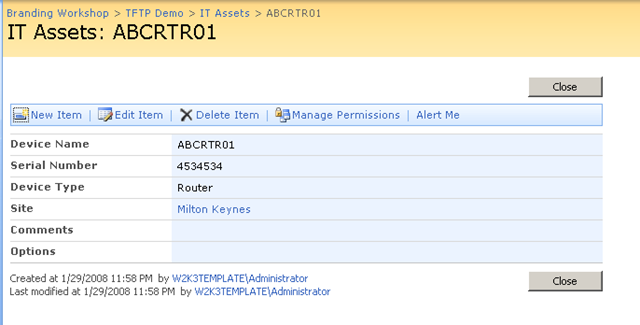
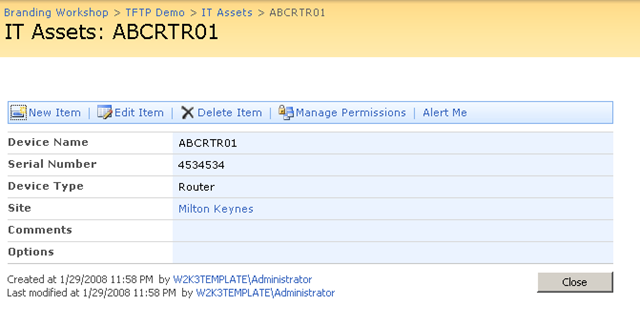
To fully understand what is being done here, I suggest you read my series of articles on the use of JavaScript in SharePoint. The full series can be found here: Part 1, Part 2, Part 3, Part 4, Part 5 and Part 6.
Otherwise click here to download the web part

[…] Freebies […]
Pingback by CleverWorkarounds » Why do SharePoint Projects Fail - Part 6 — May 12, 2008 @ 12:34 am
[…] Freebies […]
Pingback by CleverWorkarounds » "Ain’t it cool?" - Integrating SharePoint and real-time performance data - Part 2 — August 9, 2008 @ 4:06 pm
How does this differ from just adding a contenteditor wp with some JS?
Comment by Ray — September 18, 2008 @ 11:12 am
read the posts – I think from part 4 on 🙂
Comment by admin — September 18, 2008 @ 11:14 am
Hi There
This webpart is a piece of functionality that I have been seeking for sometime. After various solutions from elsewhere I found you approach to be the best for a newbie developer like myself. Your 6part explanation of the entire process was absolutely superb. Best I have seen on the net for solving the good old MOSS headache. Keep up the good work.
cheers
Brendan
Tauranga
New Zealand
Comment by brendanm — May 18, 2009 @ 2:55 pm
[…] Hiding fields […]
Pingback by Collaboration, Technology, and New York » DVWP Errors and observations — December 2, 2010 @ 10:28 am
You had a YouTube Video named \’A PowerApps Audit Solution in 5 Minutes\’ – published August 15, 2017. Would you mind sharing this PowerApps app with me?
I would like to see how you handle such functions as the save \’Media\’ back to a SPO List?
Comment by ron relph — January 11, 2018 @ 3:29 am
I am new to PowerApps and have unsuccessfully tried to build and audit app. What you and Ashlee have done is amazing. Although I don’t quite need all the bells and whistles, I would love to try using the one you’ve created. Would you be willing to share it?
Comment by Casey Adams — December 14, 2018 @ 11:44 am
Hi Paul and Ashlee!
I am new to PowerApps too and am trying to build the universal audit app. Would there be any chance you could share it with me?
It will be used for daily “Toolbox meetings” and equipment checks for a small team of gardeners.
Thanks so much!
Comment by Eu Jin — February 11, 2020 @ 4:45 pm
This app is awesome! Congratulations Ashlee! Would you be willing to share the SharePoint structure or the PowerApp? I am looking to build a similar inspection app for our highway department’s equipment inspection checking.
Comment by Annette Massie — June 16, 2020 @ 2:13 am
Is there a chance that you would share the audit/inspection app? Our tenant doesn’t have the new audit template. Thanks in advance
Comment by Gary Martin — March 24, 2021 @ 12:17 am