Back to Cleverworkarounds mainpage
 

Why do SharePoint Projects Fail - Part 3

This third post in the “Who do SharePoint Projects Fail” series has been hard to write, not because I am struggling with ideas, but because I have too many! It is hard to put all the reasons why SharePoint projects go wrong into a coherent chain of logic.

In the first two posts in this series, we did a basic examination of wicked problem theory.

Part 1 introduced you to tequila slammers, as well as the pioneering work by Horst Rittel and the concept of wicked problems.

Part 2 also delved into the murky depths of academic history to demonstrate that even back in the seventies when ABBA stole the hearts and minds of teenyboppers around the world, at least some people had time to look at wicked problems in relation to building IT systems.

If you take away anything from part 1 and 2, it is this.

  • Too many tequila slammers hurt
  • Before you blame the product, the project manager, the stakeholders, the nerds, the methodology or anything else in vicinity, go back to the problem you are solving and determine its ‘wickedness’

Now we will finally look at this large, complex, scary beast known as SharePoint. I have no means to quantify how much of a percentage of project problems arise from issues related to “the product”, but it definitely happens. Unsurprisingly enough, it is easy to argue that some of the areas that I highlight below are people issues, but we still get to indulge in Microsoft bashing - and who doesn’t enjoy a bit of that eh?

Continue reading “Why do SharePoint Projects Fail - Part 3″

No Tags


SharePoint for Cisco FanBoys (final housekeeping) - Part 6

Hey there!

Sorry it has taken me a while to get back to the Cisco articles. The “choose your own adventure” post took longer than I thought it would and I also was side tracked blogging about annoying programming issues with XML and Javascript.

This is the last of the Cisco fanboy series of articles and really its more a tidying up of loose ends. To call this last article a Cisco fanboy article is a bit of a stretch actually, since we are now moving to a broader level of governance and accountability, and is therefore not really about Cisco, so I’ll start a new series more appropriately titled and continue from where this article leaves off. 

I started the series with the intent of starting with a seemingly innocuous scenario (Cisco TFTP backups), demonstrating how SharePoint can be leveraged as an okay point solution. I then tried to slowly expand the scope to the broader issues of complex infrastructure management management, while sticking to a Cisco/IP network oriented theme in an attempt to get technical thinkers (like Cisco guys) to think beyond nuts and bolts. This also demonstrated how thinking past ‘the point solution’ can being more substantive benefits. 

Continue reading “SharePoint for Cisco FanBoys (final housekeeping) - Part 6″

No Tags


Sharepoint for Cisco Fanboys (beyond TFTP) - Part 5

Greetings SharePoint fans and Cisco people who are soon to be SharePoint fans! I’m back with part 5 of this series on leveraging features of MOSS 2007 and WSS 3.0 to help manage Cisco infrastructure.

For those of you who hate programming topics and have no interest in TFTP issues, we may well have finally gotten to a topic that you are interested in! For the rest of you, who have read the first four articles, we now shift our focus from getting Cisco configurations into SharePoint, to doing something useful with them once we have done so.

In this post, we will examine the out of the box capabilities of workflow in SharePoint and delve a little deeper into document libraries and content management. So this is more aimed at Cisco people than it is at SharePoint Pros. SharePoint people, much of the topics I cover in this article you may have seen before.

I personally don’t think this post has a high coffee requirement rating in terms of complexity of concepts, compared to the last two anyhow. However be prepared: it is a long read.

CleverWorkArounds Coffee requirement rating: imageimage

Continue reading “Sharepoint for Cisco Fanboys (beyond TFTP) - Part 5″

No Tags


SharePoint for Cisco Fanboys (and more developers) - Part 4

Welcome to part 4 of my series on demonstrating SharePoint’s usefulness for storing Cisco configuration backups. What a hard slog it’s been! The last article (part 3) of this series focused on how to modify an open source C# TFTP server to upload files into a SharePoint document library using the SharePoint SDK.

Here is the quick recap on what we have covered so far

  • Part 1 illustrated how it it possible to use SNMP to tell a Cisco IOS device to dump its configuration to TFTP. We talked about the version control feature of SharePoint and why it makes sense to TFTP your configs to a SharePoint document library. We covered the WEBDAV network provider supplied with XP and Win2003 and finished off with a basic example using the TFTP server TFTPD32.
  • Part 2 went into more detail about the issues you can face when using the WEBDAV network provider. It also went into more detail on 3 TFTP server products (WinAgents TFTP, SolarWinds TFTP Server and TFTPD32 and why TFTPD32 ended up being the best choice for this purpose.
  • Part 3 then looked at a wonderful open source TFTP server written in C# called TFTPUtil. We modified the source code of this TFTP server to use the SharePoint SDK and upload files to a SharePoint document library.

Now both the WEBDAV and SDK methods had some issues. The WEBDAV method was obviously easy to set up because pretty much any application (theoretically anyway) can be made to work with it. I, however, had reliability issues with this method as part 2 detailed. The SDK method was much more reliable, but had its own problems. Many people would be uncomfortable with having to perform custom modification of an existing open source TFTP server, but more importantly, there are security implications with this method too.

So we have one remaining method that we can explore. This method is still based around modifications to the TFTPUtil source code but instead of using the SharePoint SDK, we instead use the SharePoint web services.

Continue reading “SharePoint for Cisco Fanboys (and more developers) - Part 4″

No Tags


SharePoint for Cisco Fanboys (and developers) -Part 3

As I write this series, it is getting less and less about Cisco and more and more about SharePoint. This article is definitely developer centric, but since Cisco guys tend to be interested in the guts of the detail, I decided to keep going :-).

If you read my articles I tend to take the piss out of IT role stereotypes just to make it more entertaining reading. Sales guys and IT Managers tend to cop it the most, but I also like to have a dig at the expense of the nerds too. Cisco nerds on the whole are a great bunch, but I have to say, the scariest nerd I have ever met drank Cisco kool-aid in jumbo size!

If you have gotten to this article after reading the first two and you are scoffing at my audacity to suggest you TFTP your configs into SharePoint, chances are most people think you’re scary! If you are hitting this series of articles for the first time, go back and read part 1 and part 2 before being scary!

Seriously now, I thought that this would be a 2 part set of articles, but I got all bogged down in the methods of getting files into SharePoint. The WEBDAV based methods described in the previous article is easy to do, but ultimately is not the recommended method. So now, we will look at the ‘proper’ ways to do it and see if they are worth the effort. They work okay, but are more complex and I’m not convinced that the governance issues are necessarily worth it for many readers.

Degree of difficulty for this article is varied.

CleverWorkArounds Coffee requirement rating (for an application developer): image 

CleverWorkArounds Coffee requirement rating (for a non developer): image  image image image

Continue reading “SharePoint for Cisco Fanboys (and developers) -Part 3″

No Tags


SharePoint for Cisco Fanboys (darn WEBDAV) - Part 2

imageHere I am back again, illustrating some of the interesting possibilities that SharePoint offers for Cisco people.

To recap my last post, I showed you a little perl script I wrote to get an IOS router or switch to dump its current configuration to a TFTP server. I then used one of several freeware TFTP servers to show how you can have a TFTP server save the captured file into a version enabled document library.

I then hit a snag in relation to using a Windows Service to do this task. In this article we will delve into this issue in more detail. In addition, I ended up delving much deeper than I intended. So, like my branding series, this is going to turn into a multi-part series too, covering some application development, configuration, security and governance issues. How many parts it will end up being is anybody’s guess!

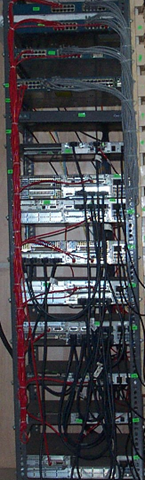
This is a technically oriented series of articles for the most part, so for you people who like the governance and finance stuff, you may not get too much out of this one. Although this article (part 2) focuses on my issues and observations with the Windows WEBDAV client, if you are one of these people who have ’special’ feelings when you see those pretty blue Cisco boxes like the image above, then you may find some useful content here. :-)

SharePoint developers and architects may also find this of interest.

Continue reading “SharePoint for Cisco Fanboys (darn WEBDAV) - Part 2″

No Tags


SharePoint for Cisco Fanboys - Part 1

Cisco nerds! This series is just for you! I know that you think you’re way too cool for collaborative portals, especially a Microsoft one at that. Instead you are more interested in delving into the IOS command line, to perform arcane arts such as debugging that OSPF route redistribution into BGP or getting off on planning and implementing a large scale DMVPN solution. Maybe you’re into QOS and VOIP and simply dig all of those DSCP-COS mappings, class and policy maps and the like.

Although packets, cells and frames are your world, *nix is cool, Nagios is your idea of a portal and anything remotely connected to Microsoft fills you with contempt and is beneath you right? :-)

Well if this is you, I do understand your point of view because I was you once, but after some therapy, I’m now out of rehab and doing just fine!

Having Cisco/general networking expertise will help you with this article, so depending on who you are, the amount of caffeine required to follow this will vary:

CleverWorkArounds Coffee requirement rating (for a CCNP or CCIE): image 

CleverWorkArounds Coffee requirement rating (for a non Cisco person or CCNA :-) ): image  image image

Continue reading “SharePoint for Cisco Fanboys - Part 1″

No Tags


WIFI Security: Background, Risks and Mitigation Part 2

Tags: Cisco, Security, WIFI @ 10:24 am


Like my posts on IT governance standards, I produced this training material some time back when I was doing a lot of IT security work. I’ve since moved onto other IT disciplines, but I hope that this article is of some use to those looking for an introduction to WIFI security. I have divided the material into two parts. The first half is background and theory, and this post illustrates a practical example.

First up, let’s finish off a little theory to go with the first post.

Other WIFI Security Measures

WEP and the much improved WPA should not be considered alone. Security in general requires a holistic approach to determine what functionality the business requires, what techniques can be used to provide that functionality and then assurance of the security of those features. Below are two additional techniques regularly used in conjunction with WEP or WPA to improve the security of a WLAN.

MAC Address Filtering

A common feature available with wireless access devices is the means to restrict access to only wireless devices that have their network (MAC) address configured in a filter list. Therefore, any device that tries to authenticate with a MAC address not matching the list will be rejected.

This method is not foolproof. If traffic can be decrypted then a valid MAC address could be determined and used to access the network.

Separate VLAN/DMZ for Wireless LAN

Most medium to large networks utilise virtual LAN’s (VLAN’s) to separate IP networks into logical groupings for security, performance and management reasons. Most good quality layer 3 switches provide VLAN’s that allow you to define firewall rules or access lists to restrict what resources on the network that wireless networks clients can access.

For more protection, the wireless network can be placed behind a fully featured stateful firewall rather than a VLAN alone.

WPA Wireless Clients Sample Implementation

This section shows an example of implementing WPA Enterprise with PEAP. Three components are required.

  • The supplicant (the WIFI client),
  • The Authenticator (the Access Point) and;
  • An Authentication Server (A Radius server such as Microsoft IAS Server).

In this example the Access Point is a Cisco Aironet 1310 Series Outdoor Access Point/Bridge1 running IOS 12.3(7)JA.

In addition, since we are using PEAP, we need a suitable certificate server and we have used Microsoft Certificate Services.

Since we are using Microsoft IAS for Radius, which integrates with Active Directory, we have created 2 new Active Directory groups called “Wireless Users” and “Wireless Computers” respectively. These groups will be used to determine what computers and users are allowed access to the WIFI network. This ensures a high level of granularity for IT staff to manage access.

Configuring IAS (RADIUS)

IAS is a free component that is supplied with Win2k/Win2003 but is not installed by default. It can be installed via the Control Panel->Add/Remove Programs/Windows Components applet.

Both IAS and the authenticating access point need to be configured to perform Radius authentication. Firstly, you need to register IAS in Active Directory, so that IAS policies can be used on Active Directory users and computers to govern access.

In the left hand pane of the IAS management console, select Internet Authentication Service (Local) and right click to select the Register Server in Active Directory option.

If the server is already registered in active directory, this message will be shown


Adding the Access Point as a Radius Client

In IAS, you create a new RADIUS client and enter a shared secret.

Adding the IAS Server as a Radius Server on the Access Point

On the access point, the detail of the IAS server is entered.

Next we need to configure the Access Point to accept WPA clients and authenticate them to Radius. To do this, we first set encryption to WPA/TKIP.

Next we set the SSID to use Open Authentication and Network/EAP authentication. Network EAP is the better of the two, but Cisco have noted that ‘Some non-Cisco Aironet client adapters do not perform 802.1x authentication to the access point/bridge unless you configure Open authentication with EAP.’

We have already configured the RADIUS server, so we just use the default list. Under Key Management, we set it to mandatory and choose WPA. Accounting can also be enabled, and log on and log off events will be sent to the RADIUS server.

Configuring a Digital Certificate for the IAS Server.

If the server running IAS is already part of Active Directory, and there is a Certificate Server on the Active Directory Domain, the IAS server will already have a computer certificate installed. This can be verified using the Certificate Services MMC Span-In.

Open the Local Computer certificate store, choose Personal/Certificates and you should find a certificate matching the name of this computer. For example:

If you do not have a computer certificate, you need to obtain one via a certificate authority. This is not covered in this document.

Configuring IAS Wireless Policy

At this point we now need to configure the policy on the Radius server so that when a wireless device connects, the conditions that allow it to join the network are defined. The policies set will be to ensure the computer and user id supplied are members of the “Wireless Users” and “Wireless Computers” active directory groups.

User Access

The first policy to be created is for the user accounts that will be connecting to the wireless network. The wireless connection type will be defined and then the appropriate active directory security group will be specified.

In IAS Management console, create a new Remote Access Policy, select “Set up a custom policy” and enter “WFIC Wireless User Access” as the Policy name.

Now we add the conditions required for this remote access policy


Select Client-IP-Address, Add the IP address of the Wireless Access Point and click Ok

Select Windows-Groups and then click Add. Enter the wireless user groups “Wireless Users” and “Wireless Computers” as described earlier and click OK

Now we have completed the conditions for using this wireless policy. Click Next and grant remote access permission.


Now we have to specify the PEAP settings. Click Profile


Select the Advanced tab, highlight the Framed-Protocol (RADIUS Standard PPP) attribute and click Remove


Select the Encryption tab


Select the Encryption tab and remove all tick boxes, leaving only the Strongest Encryption (MPPE 128-bit) option ticked

Select the Authentication tab

Select the Authentication tab and click EAP Methods

Click Add to add an EAP type

Select PEAP and click OK. Now Click Edit to modify the PEAP type

Ensure that the certificate is the correct and ensure that MSCHAP is set as the EAP type


Back on the Authentication tab remove all other tick box options then click OK

You may see a message asking if you would like to view the online help to follow and configure dial-in settings


Click No and Next to continue. The wizard will now tell you the profile is complete and summarise the conditions and profile settings.

Computer Policy

Another policy can optionally be created for Domain Computers. The policy steps are identical to the steps outlined in the user policy except during the setting of policy conditions, you use the Active Directory group that the wireless computers are a member of.

Granting Active Directory Rights

The last step is to ensure that the user and computer accounts in Active Directory have rights to ‘dial in’ – which is Microsoft’s term for using Radius Authentication.

A user account needs “Control Access through Remote Access Policy” set.

A computer account needs the same setting.

Wireless Client Configuration Settings

This section only deals with the configuration of Windows XP Clients

Digital Certificate

Using PEAP, the WIFI clients do not need to use a digital certificate. Only the server uses one to identify itself to the client. However, the clients need to trust the certificate authority (CA) that issued the server certificate. To do this, the certificate of the CA needs to be added to the trusted certificate list on the client.

If the computer is a member of the Active Directory Domain, the CA certificate is likely already installed. This can be checked using the same steps defined in the section “Configuring a Digital Certificate for the IAS Server” except you go to the “Trusted Root Certification Authorities” store to find the CA certificate.

If the certificate is not installed and if the CA certificate Using Microsoft Certificate Services, it is easy to obtain and install it. The certificate can be installed by double clicking on the certificate file stored on a shared folder, floppy or USB device. Alternatively, the client can request the CA certificate from the CA website.

Wireless Networking Configuration

In the properties of the wireless network adapter, add a new wireless network, specifying WPA and TKIP


On the authentication tab, choose PEAP as the EAP type


Click Properties and tick ‘validate server certificate’ and ensure the CA that issued the server certificate is selected.


If the certificate authority is not listed above, than this machine does not trust it and it needs to be added to the trust list as per section titled “Digital Certificate”

Ensure ERP-MSCHAPv2 is selected at the ’select authentication method’ list and click ‘properties’.

This dialog box allows you to select if XP will attempt user authentication based on the currently logged in user, or prompt for credentials to be entered. If this workstation is a member of the domain, and the user logs into it via a domain account, this should be ticked.

Click OK and OK again to return to the Wireless network properties screen.

If a computer authentication policy has been chosen as per section entitled “Computer Policy”, tick the “Authenticate as computer when computer information is available”.

At this point the wireless client should be able to connect to the wireless network if the user and computer credentials are valid. The event logs on the IAS server now will show detailed records of all wireless network authentication attempts including username, date/time, IAS policy used and whether access was granted or denied.

Below is a sample IAS log entry from an access point using the IP address 192.168.100.26 and an IAS policy called “AP Test”.

Event Type:    Information

Event Source:    IAS

Event Category:    None

Event ID:    1

Date:        20/01/2006

Time:        4:45:07 PM

User:        N/A

Computer:    MYSERVER

Description:

User DOMAIN\some guy was granted access.

Fully-Qualified-User-Name = domain.net/MY Company/DOMAIN/Some Guy

NAS-IP-Address = 192.168.100.26

NAS-Identifier = bridge

Client-Friendly-Name = AP Test

Client-IP-Address = 192.168.100.26

Calling-Station-Identifier = 0013.ff10.427c

NAS-Port-Type = Wireless - IEEE 802.11

NAS-Port = 282

Proxy-Policy-Name = Default Connection

Authentication-Provider = Windows

Authentication-Server = <undetermined>

Policy-Name = Test - Wireless

Authentication-Type = PEAP

EAP-Type = Secured password (EAP-MSCHAP v2)


No Tags


WIFI Security: Background, Risks and Mitigation Part 1

Tags: Cisco, Security, WIFI @ 9:58 am

Like my posts on IT governance standards, I produced this training material some time back when I was doing a lot of IT security work. I’ve since moved onto other IT disciplines, but I hope that this article is of some use to those looking for an introduction to WIFI security. I have divided the material into two parts. The first half is background and theory, and the second half of a practical example.

I remember when writing it, my audience, although technically savvy did not a have a strong background in cryptography or security. So I tried to make it easy to read, rather than too technical. Not sure if I succeeded! :-)

A Security Primer – Security Principles

The ISC2 common body of knowledge (CBK) is the basis for the Certified Information Systems Security Professional (CISSP) certification.

The CBK defines 3 major security principles known as the CIA triad: Confidentiality, Availability and Integrity.

  • Confidentiality is the principle that information will not be disclosed to unauthorized subjects. Unauthorized Network sniffing is an example of a violation of confidentiality.
  • Integrity is trust that can be placed in the information. Data integrity is having assurance that the information has not been altered between its transmission and its reception. Data integrity can be compromised when information has been corrupted, willfully or accidentally, before it is read by its intended recipient.
  • Availability defines that information or resources are available when required and are accurate, relevant and timely. It is certainly possible that a confidentiality and integrity are protected, but an attacker causes resources to become less available than required, or not available at all, eg Denial of Service.

Identification, Authentication, Authorisation and Accountability

  • Identification describes a method of ensuring that a subject (user, program or process) is the entity it claims to be
  • Authentication is the process of attempting to verify the digital identity of the sender of a communication such as a request to log in. The sender being authenticated may be a person using a computer, a computer itself or a computer program.
  • Authorisation is the process of verifying that a known person has the authority to perform a certain operation.
  • Accountability, is synonymous with non-repudiation. The non-repudiation of receipt of information means that an agent can’t deny receiving information. The non-repudiation of sourcing information means that an agent can’t deny sending information.

Encryption, Integrity and Authentication: WEP vs. WPA vs. WPA2

WEP

Everyone who has ever site up wireless will know WEP. They will also likely know that WEP is a ‘bad thing’. Here we explain why WEP is now considered to be a very poor choice for wireless security and what was done to fix it.

The original Wired Equivalent Privacy (WEP) algorithm was used to protect wireless communication from eavesdropping. It uses predefined ‘WEP keys’ to encrypt the traffic using the RC4 encryption algorithm. It also ensures data integrity by using an “Integrity Check Value”. This is 4 bytes and appended to the end of each packet.

One of several security problems with WEP is that using a static, unchanging WEP key means that brute force efforts can be undertaken to ‘crack’ the key by capturing enough encrypted packets. WEP also uses an Initialisation Vector (IV) which is used to ensure that text encrypted with the same encryption key translates to a different ciphertext value. Unfortunately, IV is too small and is vulnerable to attacks that make the IV easy to determine. In addition, the size of the key - 40 bits - has been cited as a weakness of WEP. When the standard was written in 1997, 40-bit keys were considered reasonable for some applications. Since the goal was to protect against “casual eavesdropping” it seemed sufficient at the time. The U.S. did not tightly control exports of 40-bit encryption, and the IEEE wanted to ensure exportability of wireless devices.

The WEP Integrity Check Value (a fancy name for a hash) is based on CRC-32, an algorithm for detecting noise and common errors in transmission. CRC-32 is an excellent checksum for detecting errors, but a poor choice for a cryptographic hash. Better-designed encryption systems use algorithms such as MD5 or SHA-1 for their Integrity Check Values. The CRC-32 Integrity Check Value has a weakness that allows an attacker to modify an encrypted message and easily fix the Integrity Check Value so the message appears authentic.

So in relation to encryption and integrity, WEP fares rather badly. How does WEP fare in the areas of identification, authentication, authorisation and accountability? Not well either.

WEP defines two forms of authentication: Open System (no authentication) and Shared Key authentication. These are used to authenticate the wireless client to the access point. The idea was that authentication would be better than no authentication because the user has to prove knowledge of the shared WEP key, in effect, authenticating himself. In fact, the exact opposite is true: If you turn on authentication, you actually reduce the total security of your network and make it easier to guess your WEP key.

Shared Key authentication involves demonstrating the knowledge of the shared WEP key by encrypting a challenge to the access point, and the access point successfully decrypting that challenge. The problem is that a monitoring attacker can observe the challenge and the encrypted response. From those, he can determine the RC4 stream used to encrypt the response, and use that stream to encrypt any challenge he receives in the future. So by monitoring a successful authentication, the attacker can later forge an authentication.

So with open authentication, any wireless device that knows the WEP key will be accepted by the access point.

Hence, WEP is now considered to be a very poor choice for WIFI security. In response, the Wi-Fi Alliance, an industry trade group, created a standard called Wi-Fi Protected Access (WPA).

WPA

At the time, elements of WPA were actually taken from a work in progress IEEE standard called 802.11i. 802.11i was a new, in development standard aimed at a new generation of devices and had no backward compatibility requirements for WEP, meaning completely new wireless hardware would have to be produced to take advantage of it.

Thus, WPA in effect an interim measure designed to work with the constraints of WEP based systems, so that rather than a wholesale change/removal of wireless hardware, customers could upgrade software and firmware to gain the benefits of WPA. This was an attractive proposition from the point of view of the device manufacturers as it reduced redevelopment costs. But was it enough?

WPA offered a set of new features to alleviate the problems of WEP. A protocol called TKIP was added to WEP encryption. TKIP has been designed to ‘wrap’ around WEP and improve the main security issues.

  • The size of the IV has been doubled to 48 bytes which is also added to the MAC address and original WEP key per frame.
  • TKIP offers ‘re-keying’, where multiple encryption keys are changed on the fly at a configurable timeframe (defaults to per 10000 frames).

(WEP alone uses the same encryption key. Thus with WPA, even if you managed to determine an encryption key, you have a very limited time in which you can use it to decrypt data before it changes again.)

WPA also has replaced the ICV with the Message Integrity Code (MIC) which eliminates some of the weaknesses with ICV.

CISCO and CKIP

While the WPA and WPA2 standards were being agreed to, Cisco added an extra feature to WEP to improve one of its major weaknesses – that of poor confidentiality via encryption. This is called the CKIP protocol. CKIP is a Cisco proprietary protocol that essentially does the same thing as TKIP does in WPA. This was designed to alleviate the immediate encryption concerns with WEP. CKIP however was not widely adopted as most vendors (Cisco included) opted to use the WPA standard as the interim measure.

WPA2

WPA2 is simply the complete 801.11i standard that was referred to earlier. It is actually very similar to WPA, as WPA used much of this standard. The main difference is the inclusion of the AES encryption protocol, which is an alternative to TKIP/WEP encryption. To support AES you need specialised hardware and thus require a new generation of wireless devices to support.

Advanced Encryption Standard (AES), also known as Rijndael, is an encryoption algorithm adopted as an encryption standard by the US government and is designed to replace the widely used by aging Data Encryption Standard (DES)

Frame integrity is now handled by a protocol called CCMP (with the simple name of “Counter Mode with Cipher Block Chaining Message Authentication Code Protocol”). CCMP is built around AES.

802.1x / EAP Authentication

Encryption is only part of the WIFI security picture. Even with an unbreakable encryption algorithm, if a malicious user was able to authenticate to the access point, they would be able to participate on the wireless network like any other authorised wireless client as the access point would exchange encryption keys with this seemingly ‘trusted’ client.

WPA/WPA2 adopted IEEE 802.1x / EAP authentication (WPA Enterprise), rather than re-invent the wheel. 802.1x was originally designed as a port based network access control that ensured that a user could not access the network unless authorised. Note the word “user”, whereas WEP could only offer “system” authentication.

EAP is a complex standard described in detail later. However the IEEE did recognise that EAP added complexity and thus, added pre-shared keys for authentication (WPA Personal).

Note: Pre shared keys are common in IPSEC/L2TP for authentication as well.

WPA Personal

When WPA Personal uses pre-shared keys (PSK) for authentication, a common password or passphrase is configured on each wireless device and the access point. This is used to authenticate the client with the access point. Once this takes place, encruption keys can be exchanged and traffic can flow between client and access point.

However, if you do not make your pre-shared key long, you are susceptible to an offline dictionary attack where an attacker grabs a few packets at the time a legitimate station joins the wireless network and then can take those packets and attempt to recover the PSK used.

In addition, management of the PSK as the network grows becomes a major issue. It needs manual configuration on all WIFI clients. Thus, changing the PSK would be time consuming and result in downtime.

WPA Enterprise

WPA adopted 802.1x / EAP for authentication. EAP is an authentication framework, not a specific authentication mechanism. The EAP provides some common functions and a negotiation of the desired authentication mechanism. Such mechanisms are called EAP methods and there are a myriad of options and standards available. This flexibility has the disadvantage of being complex and difficult to understand the intricacies of every option.

The table below is a summary of the most applicable options. They are not the exhaustive list, but the others are not listed because they are either not applicable or are missing required features.

802.1x EAP Types Feature/Benefit  TLS  TTLS  PEAP  LEAP 
Client Side Certificate Required  Yes  No  No  No 
Server side certificate required  Yes  Yes  Yes No 
WEP Key Management  Yes  Yes  Yes  Yes 
Developer  Microsoft  Funk Software  Microsoft  Cisco 
Authentication  Mutual  Mutual  Mutual  Mutual 
Deployment  Hard  Moderate  Moderate  Moderate 
Wireless Security  Highest  High  High  Moderate  

LEAP

The Lightweight Extensible Authentication Protocol (LEAP) is a proprietary EAP implementation by Cisco Systems.

There is no native support for LEAP in any Windows operating system but is supported by third party supplicants (IEEE speak for client software). Support for other operating systems is unclear. This protocol is known to be vulnerable to dictionary attacks as it is based on shared secret passwords. Cisco still maintains that LEAP can be secure if sufficiently complex passwords are used.

EAP-TLS

EAP-TLS is an IETF open standard, and is well-supported among wireless vendors. It offers a good deal of security, due to using digital certificates and Public Key Infrastructure (PKI). Its main disadvantage is the management overhead to set up and maintain a PKI as well as client-side certificates. This factor has led to few deployments compared to other EAP solutions.

The requirement for a client-side certificate, however unpopular it may be, is what gives EAP-TLS its authentication strength and illustrates the classic convenience vs. security trade-off. A compromised password is not enough to break into EAP-TLS enabled systems because the hacker still needs to have the client-side certificate. When the client-side certificates are housed in smartcards, this offers the most secure authentication solution available because there is no way to steal a certificate from a smartcard without stealing the smartcard itself. Any physical theft of a smartcard would be immediately noticed and revoked and a new smartcard would be issued.

There are client and server implementations of it in Microsoft, Cisco, Apple, Linux, and open source. EAP-TLS is natively supported in MAC OS 10.3 and above, Windows 2000 SP4, Windows XP, Windows Mobile 2003 and above, and Windows CE 4.2.

EAP-TTLS and PEAP

EAP-TTLS and PEAP both do not use client side certificates. Instead they use PKI certificates only on the authentication server which is used to create a secure TLS tunnel to protect user authentication. PEAP was developed by Microsoft and Cisco and EAP-TTLS developed by Funk Software.

PEAP is natively supported in MAC OS 10.3 and above, Windows 2000 SP4, Windows XP, Windows Mobile 2003 and above, and Windows CE 4.2.

The server side implementation of PEAP/EAP-MSCHAPv2, called IAS (Internet Authentication Service), is also included in Windows 2003 server.

We will not discuss the differences between PEAP and EAP-TTLS here, except to say that PEAP has now overtaken EAP-TTLS in terms of popularity.

802.1x Components

802.1x consists of 3 main components.

  • A client (supplicant)
  • An ‘authenticator’ (access point)
  • An ‘authentication server’ (RADIUS).

EAP is the mechanism used by all 3 components to communicate authentication information.

RADIUS Server

In a large wireless network, a means is required to provide central authentication for clients. A RADIUS server fills this need. The RADIUS protocol is the industry standard for AAA (Authentication, Authorisation and Accounting). Many Radius servers exist, and Microsoft provide a built in Radius Server with Windows Server called IAS which integrates with Active Directory. Other Radius servers can integrate with 3rd party authentication mechanisms (RSA keys and smartcards for example)

Bringing it all together

The key goal of any wireless network is to ensure confidentiality, integrity and availability. Without proper authentication, encryption is of limited value as it would be impossible to determine if the data has been tampered with.

802.1x / EAP provide the means to centrally manage who and what can access the wireless network. This also provides us with detailed accounting records of who or what has attempted to access the network (Accountability).

The mutual authentication offered by some EAP methods also means that a client can be sure that it is accessing the correct access point and not a malicious access point set up to lure clients into connecting to it and giving up sensitive information.

TLS and PEAP are the two best choices for wireless authentication. TLS offers more security than PEAP due to client certificates required as well as user credentials (two factor authentication). However PEAP is much easier to set up and deploy than TLS because you do not have to implement a PKI solution (which is a whole project in itself). In addition, when using an Active Directory integrated Radius server, authentication can be restricted to particular groups of users and computers and AD account lockout policies will be enforced.

If we combine this with the MAC address filtering and VLAN access lists described in section 2.1.4 we have a holistic solution that addresses the key security requirements.

We have:

  • An encryption mechanism that changes keys frequently and is unique for each client, so that by the time you have brute forced a encryption key, it has already been discarded and a new key has been generated
  • An authentication mechanism that requires the user to have a valid Active Directory user account, optionally a valid Active Directory Computer Account and optionally a valid client certificate issued by a trusted Certificate Authority (EAP/TLS)
  • An authentication mechanism that ensures that the client can ensure that the access point it is connecting to is known and trusted via a server side digital certificate.
  • An authentication mechanism that is centrally managed, so when users or computers are disabled they are unable to access all wireless services.
  • Centralised location for logging of access requests and their outcomes
  • Filtering so that only pre-defined MAC addresses can authenticate to an access point
  • Access lists that ensure that the Wireless VLAN can only access authorised parts of the network.

In the next part to this post, we will discuss some additional security mechanisms for WIFI, as well as a WPA/PEAP example implementation.

No Tags


An annotated IPSEC example

Tags: Cisco, IPSEC, Linksys, VPN @ 3:36 pm


IPSEC.. WTF? Isn’t this supposed to by SharePoint?

Well, yeah you got me.. but a few years back I was a Cisco nerd in the ISP industry and got pretty handy at it. I wrote this article 3 years ago but then forgot about it until recently.. so it may as well see the light of day because at the time I wrote it, there was very little info out there on this subject.

Linksys to Cisco IOS IPSEC Tunnel

The network

Site 1:  (Linksys WAG54G)

  • Inside Network: 172.18.30.0/24
  • Gateway IP 200.100.1.1
  • Inside IP 172.18.30.1
  • NAT: Overloaded on Outside interface
  • LinkSys WAG54G. Software Version: 1.02.9, Dec 22 2004Site2:

Site 2: (Cisco 3725)

  • Inside Network: 192.168.100.0/24
  • Gateway IP: 200.56.4.1
  • Inside IP 192.168.100.1
  • NAT: Overloaded on Outside interface
  • Cisco 3725 Router. IOS. IOS ™ 3700 Software (C3725-IK9O3S-M), Version 12.3(6), RELEASE SOFTWARE (fc3)
    System image file is "slot0:c3725-ik9o3s-mz.123-6.bin"

The IPSEC Parameters

Probably the most common combination for IPSEC is to use 3DES/SHA/DH Group 2. For transforms ESP-3DES-SHA

  • 3DES, SHA1, ESP (no AH).
  • PFS is OFF!
  • DH Group 2 (Group1 and 2 only supported on the linksys)

The IKE Parameters

  • 3DES, SHA, DH Group 2
  • All IP traffic to traverse VPN tunnel.

Linksys Configuration

  • Security Tab – Choose VPN
  • You do not need to enable IPSEC passthrough. You would only do this if another device behind the linksys was actually doing the IPSEC tunnel.
  • Create a new tunnel entry and give it a name. Specify a subnet for the local security group (the local subnet) and set 172.18.30.0 with a 255.255.255.0 subnet mask
  • Specify a subnet for the remote security group. 192.168.100.0/255.255.255.0

  • Now we have to specify the IP address of the remote IPSEC peer. In our example we are using an IP address not a domain name

  • Encryption should be set to 3DES and hash (authentication) to SHA. This is Phase II encryption (as will be confirmed in advanced settings screen). Set PFS to OFF in this example (Cisco defaults to off).  The Key Lifetime here actually is Phase II key lifetime. Phase 1 key lifetime is in the advanced screen.
  • IKE is used, rather than manual.  Cisco default setting for Key Lifetime is 86400 seconds. So change this end to match. Set the shared key as well.
  • Now click the advanced tab. Here we configure the phase 2 config. Repeat 3DES and SHA everywhere with 1024bit group (DH Group 2)

Note how this says that the linksys will try and offer DES/MD5/768, 3DES/SHA/1024 and 3DES/MD5/1024. In fact proposal 1 and 3 are therefore identical. I have not looked deeply into this, although it increases the Phase 1 work required when the two peers negotiate phase 1.

CIsco Configuration

Note that this particular router has 6 IPSEC tunnels to different peers. In this example, the connection to the WAG54G is the latest IPSEC tunnel. Comments are in itallics

SITEB#sh run
Building configuration…

First we define the ISAKMP policies that this router will accept. 4 are defined here. This is because the other 5 IPSEC tunnels have unique IKE requirements. Each different IPSEC peers have different capabilities.

crypto isakmp policy 1 (3DES/SHA/DH Group 5)
encr 3des
authentication pre-share
group 5
!
crypto isakmp policy 2 (3DES/MD5/DH Group 5)
encr 3des
hash md5
authentication pre-share
group 5
!
crypto isakmp policy 3 (DES/SHA/DH Group 5)
authentication pre-share
group 5
!
This is the ISAKMP policy that will match the LINKSYS router at Site A.
crypto isakmp policy 4 (3DES/SHA/DH Group 2)
encr 3des
authentication pre-share
group 2

Note that all ISAKMP use pre-shared keys for authentication. These are defined below.
crypto isakmp key xxxxxxxxx address yyyyyy
crypto isakmp key xxxxxxxxxx address yyyyyy
crypto isakmp key thisisasecretpassword address 200.100.1.1
!
!

This is the IPSEC Parameters. (Phase II) – explain here..

crypto ipsec transform-set Default esp-3des esp-sha-hmac
!
Now we define the crypto map itself. We specify the ACL that needs to be matched for each peer and then the transform set to use. Remember the first 5 crypto map entires are for other VPN’s.

crypto map IPSEC 5 ipsec-isakmp
set peer yyyyyy
set transform-set Default
match address xxxxxx
crypto map IPSEC 10 ipsec-isakmp
set peer yyyyyy
set transform-set Default
match address xxxxxx
crypto map IPSEC 15 ipsec-isakmp
set peer yyyyyy
set transform-set Default
set pfs group5
match address xxxxxx
crypto map IPSEC 30 ipsec-isakmp
set peer yyyyyy
set transform-set Default
match address xxxxxx
crypto map IPSEC 40 ipsec-isakmp
set peer yyyyyy
set transform-set Default
match address xxxxxx
crypto map IPSEC 50 ipsec-isakmp
set peer yyyyyy
set transform-set Default
match address xxxxxx
crypto map IPSEC 60 ipsec-isakmp
set peer 200.100.1.1
set transform-set Default
match address SITEB_to_SITEA
!
!
!
!
interface FastEthernet0/0
no ip address
shutdown
speed auto
full-duplex
!
Now we apply the crypto map to the externally facing interface.

interface FastEthernet0/1
ip address 200.56.4.1 255.255.255.252
ip access-group Firewall in
no ip redirects
ip nat outside
duplex auto
speed auto
no cdp enable
crypto map IPSEC
!
interface FastEthernet1/0
description Inside
ip address 192.168.100.1  255.255.255.0
ip nat inside
duplex auto
speed auto
!
ip nat inside source list inside_net interface FastEthernet0/1 overload
ip route 0.0.0.0 0.0.0.0 200.56.4.2
!
This is the ACL that the policy map called IPSEC uses to identify traffic to be IPSEC encrypted
ip access-list extended SITEB_to_SITEA
permit ip 192.168.100.0 0.0.0.255 172.18.30.0 0.0.0.255

ip access-list extended Firewall
remark
remark Allow TCP replys
remark
permit tcp any any established
remark
remark For VPN IPSec
remark
permit esp host 200.100.1.1 host 200.56.4.1
permit udp host 200.100.1.1 host 200.56.4.1 eq isakmp
permit icmp any any parameter-problem
permit icmp any any source-quench
permit icmp any any echo-reply
permit icmp any any time-exceeded
permit icmp any any unreachable
deny   ip any any log

This ACL is used to Network address translate all outgoing packets *except* the stuff for IPSEC. That has to stay with source address preserve. Therefore by using a deny entry we stop the router NATting any traffic from 192.168.100.0/24 to 172.18.30.0/24

ip access-list extended inside_net
deny   ip 192.168.100.0 0.0.0.255 172.18.30.0 0.0.0.255
permit ip 192.168.100.0 0.0.0.255 any
!
end

Example 1: Tunnel initiated from Linksys end

Logs (linksys). Linksys logs are quite basic, but you can see the 3 IKE Phase 1 packet exchange and tell that its using Main Mode (eg MM_I1) and then the Phase II Quick Mode (QM_I1) exchange.

Main mode Phase 1 happens first
2005-02-06 22:29:39 IKE[1] Tx >> MM_I1 : 200.56.4.1 SA
2005-02-06 22:29:39 IKE[1] Rx << MM_R1 : 200.56.4.1 SA
2005-02-06 22:29:39 IKE[1] ISAKMP SA CKI=[9ddfe293 4d8be14b] CKR=[cca2f07a 9045af27]
2005-02-06 22:29:39 IKE[1] ISAKMP SA 3DES / SHA / PreShared / MODP_1024 / 86400 sec (*86400 sec)
2005-02-06 22:29:39 IKE[1] Tx >> MM_I2 : 200.56.4.1 KE, NONCE
2005-02-06 22:29:40 IKE[1] Rx << MM_R2 : 200.56.4.1 KE, NONCE, VID, VID, VID, VID
2005-02-06 22:29:40 IKE[1] Tx >> MM_I3 : 200.56.4.1 ID, HASH
2005-02-06 22:29:41 IKE[1] Rx << MM_R3 : 200.56.4.1 ID, HASH
Great – we got this far. Once you see QM you know you have made it to Phase II
2005-02-06 22:29:41 IKE[1] Tx >> QM_I1 : 200.56.4.1 HASH, SA, NONCE, KE, ID, ID
2005-02-06 22:29:42 IKE[1] Rx << QM_R1 : 200.56.4.1 HASH, SA, NONCE, KE, ID, ID, NOTIFY
2005-02-06 22:29:42 IKE[1] Tx >> QM_I2 : 200.56.4.1 HASH
2005-02-06 22:29:42 IKE[1] ESP_SA 3DES / SHA / 86400 sec / SPI=[c243f13f:a213c248]
2005-02-06 22:29:42 IKE[1] Set up ESP tunnel with 200.56.4.1 Success !
2005-02-06 22:29:42

Logs (Cisco). Below is the output from the commands Debug crypto ipsec and debug crypto isakmp

Now for Cisco logs there is a massive amount of detail for better or worse :-), So we will break it up. Recall that this sample setup has been taken from a live Cisco router that is loaded with 4 IPSEC policies. They are:

3DES/SHA/DH Group 5
3DES/MD5/DH Group 5
DES/SHA/DH Group 5
3DES/SHA/DH Group 2

Now also recall that in addition to the defined policy, the Linksys does:

3DES/SHA/DH Group 2
DES/MD5/DH Group 1
3DES/SHA/DH Group 2
3DES/MD5/DH Group 2.

Now the first part of the logs shows the linksys trying its 4 combinations against the 4 Cisco combinations. This takes a while.. Annotated comments inline

Feb  6 21:43:04.394 GMT: ISAKMP (0:0): received packet from 200.100.1.1 dport 500 sport 500 Global (N) NEW SA
Feb  6 21:43:04.394 GMT: ISAKMP: local port 500, remote port 500
Feb  6 21:43:04.394 GMT: ISAKMP: insert sa successfully sa = 64008FCC
Feb  6 21:43:04.394 GMT: ISAKMP (0:709): Input = IKE_MESG_FROM_PEER, IKE_MM_EXCH

This is a MAIN MODE exchange. Not an aggressive mode exchange

Feb  6 21:43:04.394 GMT: ISAKMP (0:709): Old State = IKE_READY  New State = IKE_R_MM1
Feb  6 21:43:04.394 GMT: ISAKMP (0:709): processing SA payload. message ID = 0
Feb  6 21:43:04.398 GMT: ISAKMP: Looking for a matching key for 200.100.1.1 in default : success
Feb  6 21:43:04.398 GMT: ISAKMP (0:709): found peer pre-shared key matching 200.100.1.1
Feb  6 21:43:04.398 GMT: ISAKMP (0:709) local preshared key found 

The preshared keys match and therefore the IKE peer is authenticated. Now we have to negotiate a common IKE SA policy between the peers to protect the IKE Exchange

Feb  6 21:43:04.398 GMT: ISAKMP : Scanning profiles for xauth …

Feb  6 21:43:04.398 GMT: ISAKMP (0:709): Checking ISAKMP transform 1 against priority 1 policy
Feb  6 21:43:04.398 GMT: ISAKMP:      encryption 3DES-CBC
Feb  6 21:43:04.398 GMT: ISAKMP:      hash SHA
Feb  6 21:43:04.398 GMT: ISAKMP:      auth pre-share
Feb  6 21:43:04.398 GMT: ISAKMP:      default group 2
Feb  6 21:43:04.398 GMT: ISAKMP:      life type in seconds
Feb  6 21:43:04.398 GMT: ISAKMP:      life duration (VPI) of  0×0 0×1 0×51 0×80
Feb  6 21:43:04.398 GMT: ISAKMP (0:709): Diffie-Hellman group offered does not match policy!

The cisco’s policy 1 is 3DES/SHA/DH Group 5 and this does not match Linksys polic 1 of DES/SHA/DH2

Feb  6 21:43:04.398 GMT: ISAKMP (0:709): atts are not acceptable. Next payload is 3
Feb  6 21:43:04.398 GMT: ISAKMP (0:709): Checking ISAKMP transform 2 against priority 1 policy
Feb  6 21:43:04.398 GMT: ISAKMP:      encryption DES-CBC
Feb  6 21:43:04.398 GMT: ISAKMP:      hash MD5
Feb  6 21:43:04.398 GMT: ISAKMP:      auth pre-share
Feb  6 21:43:04.398 GMT: ISAKMP:      default group 1
Feb  6 21:43:04.398 GMT: ISAKMP:      life type in seconds
Feb  6 21:43:04.398 GMT: ISAKMP:      life duration (VPI) of  0×0 0×1 0×51 0×80
Feb  6 21:43:04.398 GMT: ISAKMP (0:709): Encryption algorithm offered does not match policy!

The cisco’s policy 1 is 3DES/SHA/DH Group 5 and this does not match Linksys policy 2 of DES/MD5/DH2

Feb  6 21:43:04.398 GMT: ISAKMP (0:709): atts are not acceptable. Next payload is 3
Feb  6 21:43:04.398 GMT: ISAKMP (0:709): Checking ISAKMP transform 3 against priority 1 policy
Feb  6 21:43:04.398 GMT: ISAKMP:      encryption 3DES-CBC
Feb  6 21:43:04.398 GMT: ISAKMP:      hash SHA
Feb  6 21:43:04.398 GMT: ISAKMP:      auth pre-share
Feb  6 21:43:04.398 GMT: ISAKMP:      default group 2
Feb  6 21:43:04.398 GMT: ISAKMP:      life type in seconds
Feb  6 21:43:04.398 GMT: ISAKMP:      life duration (VPI) of  0×0 0×1 0×51 0×80
Feb  6 21:43:04.398 GMT: ISAKMP (0:709): Diffie-Hellman group offered does not match policy!

Same as offer 1. The cisco’s policy 1 is 3DES/SHA/DH Group 5 and this does not match Linksys of 3DES/SHA/DH2

Feb  6 21:43:04.398 GMT: ISAKMP (0:709): atts are not acceptable. Next payload is 3
Feb  6 21:43:04.398 GMT: ISAKMP (0:709): Checking ISAKMP transform 4 against priority 1 policy
Feb  6 21:43:04.398 GMT: ISAKMP:      encryption 3DES-CBC
Feb  6 21:43:04.398 GMT: ISAKMP:      hash MD5
Feb  6 21:43:04.398 GMT: ISAKMP:      auth pre-share
Feb  6 21:43:04.398 GMT: ISAKMP:      default group 2
Feb  6 21:43:04.398 GMT: ISAKMP:      life type in seconds
Feb  6 21:43:04.398 GMT: ISAKMP:      life duration (VPI) of  0×0 0×1 0×51 0×80
Feb  6 21:43:04.398 GMT: ISAKMP (0:709): Hash algorithm offered does not match policy!

The cisco’s policy 1 is 3DES/SHA/DH Group 5 and this does not match Linksys of 3DES/MD5/DH2

Feb  6 21:43:04.398 GMT: ISAKMP (0:709): atts are not acceptable. Next payload is 0
Feb  6 21:43:04.398 GMT: ISAKMP (0:709): Checking ISAKMP transform 1 against priority 2 policy
Feb  6 21:43:04.398 GMT: ISAKMP:      encryption 3DES-CBC
Feb  6 21:43:04.398 GMT: ISAKMP:      hash SHA
Feb  6 21:43:04.398 GMT: ISAKMP:      auth pre-share
Feb  6 21:43:04.398 GMT: ISAKMP:      default group 2
Feb  6 21:43:04.398 GMT: ISAKMP:      life type in seconds
Feb  6 21:43:04.398 GMT: ISAKMP:      life duration (VPI) of  0×0 0×1 0×51 0×80
Feb  6 21:43:04.398 GMT: ISAKMP (0:709): Hash algorithm offered does not match policy!

The cisco’s policy 2 (note priority 2 policy above) is 3DES/MD5/DH Group 5 and this does not match Linksys of 3DES/SHA/DH2

Feb  6 21:43:04.398 GMT: ISAKMP (0:709): atts are not acceptable. Next payload is 3

Feb  6 21:43:04.398 GMT: ISAKMP (0:709): Checking ISAKMP transform 2 against priority 2 policy
Feb  6 21:43:04.398 GMT: ISAKMP:      encryption DES-CBC
Feb  6 21:43:04.398 GMT: ISAKMP:      hash MD5
Feb  6 21:43:04.398 GMT: ISAKMP:      auth pre-share
Feb  6 21:43:04.398 GMT: ISAKMP:      default group 1
Feb  6 21:43:04.398 GMT: ISAKMP:      life type in seconds
Feb  6 21:43:04.398 GMT: ISAKMP:      life duration (VPI) of  0×0 0×1 0×51 0×80
Feb  6 21:43:04.398 GMT: ISAKMP (0:709): Encryption algorithm offered does not match policy!The cisco’s policy 2 is 3DES/MD5/DH Group 5 and this does not match Linksys of DES/MD5/DH1Feb  6 21:43:04.398 GMT: ISAKMP (0:709): atts are not acceptable. Next payload is 3
Feb  6 21:43:04.398 GMT: ISAKMP (0:709): Checking ISAKMP transform 3 against priority 2 policy
Feb  6 21:43:04.398 GMT: ISAKMP:      encryption 3DES-CBC
Feb  6 21:43:04.398 GMT: ISAKMP:      hash SHA
Feb  6 21:43:04.398 GMT: ISAKMP:      auth pre-share
Feb  6 21:43:04.398 GMT: ISAKMP:      default group 2
Feb  6 21:43:04.398 GMT: ISAKMP:      life type in seconds
Feb  6 21:43:04.398 GMT: ISAKMP:      life duration (VPI) of  0×0 0×1 0×51 0×80
Feb  6 21:43:04.398 GMT: ISAKMP (0:709): Hash algorithm offered does not match policy!The cisco’s policy 2 is 3DES/MD5/DH Group 5 and this does not match Linksys of 3DES/SHA/DH2Feb  6 21:43:04.398 GMT: ISAKMP (0:709): atts are not acceptable. Next payload is 3
Feb  6 21:43:04.398 GMT: ISAKMP (0:709): Checking ISAKMP transform 4 against priority 2 policy
Feb  6 21:43:04.398 GMT: ISAKMP:      encryption 3DES-CBC
Feb  6 21:43:04.398 GMT: ISAKMP:      hash MD5
Feb  6 21:43:04.398 GMT: ISAKMP:      auth pre-share
Feb  6 21:43:04.398 GMT: ISAKMP:      default group 2
Feb  6 21:43:04.398 GMT: ISAKMP:      life type in seconds
Feb  6 21:43:04.398 GMT: ISAKMP:      life duration (VPI) of  0×0 0×1 0×51 0×80
Feb  6 21:43:04.402 GMT: ISAKMP (0:709): Diffie-Hellman group offered does not match policy!The cisco’s policy 2 is 3DES/MD5/DH Group 5 and this does not match Linksys of 3DES/MD5/DH2Feb  6 21:43:04.402 GMT: ISAKMP (0:709): atts are not acceptable. Next payload is 0
Feb  6 21:43:04.402 GMT: ISAKMP (0:709): Checking ISAKMP transform 1 against priority 3 policy
Feb  6 21:43:04.402 GMT: ISAKMP:      encryption 3DES-CBC
Feb  6 21:43:04.402 GMT: ISAKMP:      hash SHA
Feb  6 21:43:04.402 GMT: ISAKMP:      auth pre-share
Feb  6 21:43:04.402 GMT: ISAKMP:      default group 2
Feb  6 21:43:04.402 GMT: ISAKMP:      life type in seconds
Feb  6 21:43:04.402 GMT: ISAKMP:      life duration (VPI) of  0×0 0×1 0×51 0×80
Feb  6 21:43:04.402 GMT: ISAKMP (0:709): Encryption algorithm offered does not match policy!
Feb  6 21:43:04.402 GMT: ISAKMP (0:709): atts are not acceptable. Next payload is 3The cisco’s policy 3 is DES/SHA/DH Group 5 and this does not match Linksys of 3DES/SHA/DH2

Feb  6 21:43:04.402 GMT: ISAKMP (0:709): Checking ISAKMP transform 2 against priority 3 policy
Feb  6 21:43:04.402 GMT: ISAKMP:      encryption DES-CBC
Feb  6 21:43:04.402 GMT: ISAKMP:      hash MD5
Feb  6 21:43:04.402 GMT: ISAKMP:      auth pre-share
Feb  6 21:43:04.402 GMT: ISAKMP:      default group 1
Feb  6 21:43:04.402 GMT: ISAKMP:      life type in seconds
Feb  6 21:43:04.402 GMT: ISAKMP:      life duration (VPI) of  0×0 0×1 0×51 0×80
Feb  6 21:43:04.402 GMT: ISAKMP (0:709): Hash algorithm offered does not match policy!
Feb  6 21:43:04.402 GMT: ISAKMP (0:709): atts are not acceptable. Next payload is 3

The cisco’s policy 3 is DES/SHA/DH Group 5 and this does not match Linksys of DES/MD5/DH1

Feb  6 21:43:04.402 GMT: ISAKMP (0:709): Checking ISAKMP transform 3 against priority 3 policy
Feb  6 21:43:04.402 GMT: ISAKMP:      encryption 3DES-CBC
Feb  6 21:43:04.402 GMT: ISAKMP:      hash SHA
Feb  6 21:43:04.402 GMT: ISAKMP:      auth pre-share
Feb  6 21:43:04.402 GMT: ISAKMP:      default group 2
Feb  6 21:43:04.402 GMT: ISAKMP:      life type in seconds
Feb  6 21:43:04.402 GMT: ISAKMP:      life duration (VPI) of  0×0 0×1 0×51 0×80
Feb  6 21:43:04.402 GMT: ISAKMP (0:709): Encryption algorithm offered does not match policy!
Feb  6 21:43:04.402 GMT: ISAKMP (0:709): atts are not acceptable. Next payload is 3

The cisco’s policy 3 is DES/SHA/DH Group 5 and this does not match Linksys of 3DES/SHA/DH2

Feb  6 21:43:04.402 GMT: ISAKMP (0:709): Checking ISAKMP transform 4 against priority 3 policy
Feb  6 21:43:04.402 GMT: ISAKMP:      encryption 3DES-CBC
Feb  6 21:43:04.402 GMT: ISAKMP:      hash MD5
Feb  6 21:43:04.402 GMT: ISAKMP:      auth pre-share
Feb  6 21:43:04.402 GMT: ISAKMP:      default group 2
Feb  6 21:43:04.402 GMT: ISAKMP:      life type in seconds
Feb  6 21:43:04.402 GMT: ISAKMP:      life duration (VPI) of  0×0 0×1 0×51 0×80
Feb  6 21:43:04.402 GMT: ISAKMP (0:709): Encryption algorithm offered does not match policy!
Feb  6 21:43:04.402 GMT: ISAKMP (0:709): atts are not acceptable. Next payload is 0

The cisco’s policy 3 is DES/SHA/DH Group 5 and this does not match Linksys of 3DES/MD5/DH2

Feb  6 21:43:04.402 GMT: ISAKMP (0:709): Checking ISAKMP transform 1 against priority 4 policy
Feb  6 21:43:04.402 GMT: ISAKMP:      encryption 3DES-CBC
Feb  6 21:43:04.402 GMT: ISAKMP:      hash SHA
Feb  6 21:43:04.402 GMT: ISAKMP:      auth pre-share
Feb  6 21:43:04.402 GMT: ISAKMP:      default group 2
Feb  6 21:43:04.402 GMT: ISAKMP:      life type in seconds
Feb  6 21:43:04.402 GMT: ISAKMP:      life duration (VPI) of  0×0 0×1 0×51 0×80
Feb  6 21:43:04.402 GMT: ISAKMP (0:709): atts are acceptable. Next payload is 3

Aha! We finally Hit policy 4 on the Cisco! 3DES/SHA/DH Group 2.

(This illustrates how advantageous it is to agree on a common IKE policy. Since each end has multiple combinations, there can be an increased number of combinations! Can be difficult though when dealing with vendor interoperability and 3DES export restrictions)

Now we deal with the second Main Mode Exchange. This is a DH exchange to generate shared secret keys.

You will see MMx which is Cisco’s state transitions as each sequence is performed.

MM1 - send an SA setup packet.

Feb  6 21:43:04.434 GMT: ISAKMP (0:709): Input = IKE_MESG_INTERNAL, IKE_PROCESS_MAIN_MODE
Feb  6 21:43:04.438 GMT: ISAKMP (0:709): Old State = IKE_R_MM1  New State = IKE_R_MM1
Feb  6 21:43:04.438 GMT: ISAKMP (0:709): sending packet to 200.100.1.1 my_port 500 peer_port 500 (R) MM_SA_SETUP
Feb  6 21:43:04.438 GMT: ISAKMP (0:709): Input = IKE_MESG_INTERNAL, IKE_PROCESS_COMPLETE

Packet send successfully therefore transition to MM2

Feb  6 21:43:04.438 GMT: ISAKMP (0:709): Old State = IKE_R_MM1  New State = IKE_R_MM2
Feb  6 21:43:05.378 GMT: ISAKMP (0:709): received packet from 200.100.1.1 dport 500 sport 500 Global (R) MM_SA_SETUP
Feb  6 21:43:05.378 GMT: ISAKMP (0:709): Input = IKE_MESG_FROM_PEER, IKE_MM_EXCH

We received the IKE packet back from the peer. Now we move from MM2 to MM3

Feb  6 21:43:05.378 GMT: ISAKMP (0:709): Old State = IKE_R_MM2  New State = IKE_R_MM3
Feb  6 21:43:05.382 GMT: ISAKMP (0:709): processing KE payload. message ID = 0
Feb  6 21:43:05.422 GMT: ISAKMP (0:709): processing NONCE payload. message ID = 0
Feb  6 21:43:05.422 GMT: ISAKMP: Looking for a matching key for 200.100.1.1 in default : success
Feb  6 21:43:05.422 GMT: ISAKMP (0:709): found peer pre-shared key matching 200.100.1.1
Feb  6 21:43:05.422 GMT: ISAKMP (0:709): SKEYID state generated
Feb  6 21:43:05.422 GMT: ISAKMP (0:709): Input = IKE_MESG_INTERNAL, IKE_PROCESS_MAIN_MODE
Feb  6 21:43:05.422 GMT: ISAKMP (0:709): Old State = IKE_R_MM3  New State = IKE_R_MM3
Feb  6 21:43:05.422 GMT: ISAKMP (0:709): sending packet to 200.100.1.1 my_port 500 peer_port 500 (R) MM_KEY_EXCH
Feb  6 21:43:05.422 GMT: ISAKMP (0:709): Input = IKE_MESG_INTERNAL, IKE_PROCESS_COMPLETE

We received the DH key info from the peer and it checks out! Great. Now we do the thirsd MM exchange. We verify the peers identity uising IP address

Sending our packet out. Transition to MM4

Feb  6 21:43:05.422 GMT: ISAKMP (0:709): Old State = IKE_R_MM3  New State = IKE_R_MM4
Feb  6 21:43:06.942 GMT: ISAKMP (0:709): received packet from 200.100.1.1 dport 500 sport 500 Global (R) MM_KEY_EXCH
Feb  6 21:43:06.942 GMT: ISAKMP (0:709): Input = IKE_MESG_FROM_PEER, IKE_MM_EXCH

Successfully received packet from peer. to MM5

Feb  6 21:43:06.942 GMT: ISAKMP (0:709): Old State = IKE_R_MM4  New State = IKE_R_MM5
Feb  6 21:43:06.942 GMT: ISAKMP (0:709): processing ID payload. message ID = 0
Feb  6 21:43:06.942 GMT: ISAKMP (0:709): ID payload
next-payload : 8
type         : 1
address      : 200.100.1.1
protocol     : 0
port         : 0
length       : 12

At this point, the peer (the Linksys) has sent its identity info as per the 3rd main mode exchange of IKE Phase 1. The error message below is a bit of a red herring. It relates to a specific IPSEC config the router checks for. See here for more info. http://www.cisco.com/univercd/cc/td/doc/product/software/ios122/122newft/122t/122t15/ft_vrfip.htm
It can be safely ignored..

Feb  6 21:43:06.942 GMT: ISAKMP (0:709): peer matches *none* of the profiles

Now we need to check the hash of the identity data

Feb  6 21:43:06.942 GMT: ISAKMP (0:709): processing HASH payload. message ID = 0
Feb  6 21:43:06.946 GMT: ISAKMP (0:709): SA authentication status:
Feb  6 21:43:06.946 GMT:  authenticated
Feb  6 21:43:06.946 GMT: ISAKMP (0:709): SA has been authenticated with 200.100.1.1

Great – everything checks out. Again, ignore the next message

Feb  6 21:43:06.946 GMT: ISAKMP (0:709): peer matches *none* of the profiles

Now we send our ID info to the Linksys peer to complete the 3rd exchange of Main Mode Phase 1.

Feb  6 21:43:06.946 GMT: ISAKMP (0:709): Input = IKE_MESG_INTERNAL, IKE_PROCESS_MAIN_MODE
Feb  6 21:43:06.946 GMT: ISAKMP (0:709): Old State = IKE_R_MM5  New State = IKE_R_MM5
Feb  6 21:43:06.946 GMT: ISAKMP (0:709): SA is doing pre-shared key authentication using id type ID_IPV4_ADDR
Feb  6 21:43:06.946 GMT: ISAKMP (0:709): ID payload
next-payload : 8
type         : 1
address      : 200.56.4.1
protocol     : 17
port         : 500
length       : 12
Feb  6 21:43:06.946 GMT: ISAKMP (709): Total payload length: 12
Feb  6 21:43:06.946 GMT: ISAKMP (0:709): sending packet to 200.100.1.1 my_port 500 peer_port 500 (R) MM_KEY_EXCH
Feb  6 21:43:06.946 GMT: ISAKMP (0:709): Input = IKE_MESG_INTERNAL, IKE_PROCESS_COMPLETE

Great! It looks like it all has worked as expected.

Feb  6 21:43:06.946 GMT: ISAKMP (0:709): Old State = IKE_R_MM5  New State = IKE_P1_COMPLETE
Feb  6 21:43:06.946 GMT: ISAKMP (0:709): Input = IKE_MESG_INTERNAL, IKE_PHASE1_COMPLETE
Feb  6 21:43:06.946 GMT: ISAKMP (0:709): Old State = IKE_P1_COMPLETE  New State = IKE_P1_COMPLETE

Wohoo! Phase 1 is complete. Now we move to Phase 2 and do some real work. Now in Phase II, there is one mode called Quick mode and it is a 3 way exchange. First we get a packet from the originating peer – the Linksys. We check the hash and then the security association payload.

Feb  6 21:43:07.894 GMT: ISAKMP (0:709): received packet from 200.100.1.1 dport 500 sport 500 Global (R) QM_IDLE     
Feb  6 21:43:07.894 GMT: ISAKMP: set new node -841765728 to QM_IDLE     
Feb  6 21:43:07.894 GMT: ISAKMP (0:709): processing HASH payload. message ID = -841765728
Feb  6 21:43:07.894 GMT: ISAKMP (0:709): processing SA payload. message ID = -841765728

We have an IPSEC proposal to examine. Does it match our end?

Feb  6 21:43:07.894 GMT: ISAKMP (0:709): Checking IPSec proposal 1
Feb  6 21:43:07.894 GMT: ISAKMP: transform 1, ESP_3DES
Feb  6 21:43:07.894 GMT: ISAKMP:   attributes in transform:
Feb  6 21:43:07.894 GMT: ISAKMP:      SA life type in seconds
Feb  6 21:43:07.894 GMT: ISAKMP:      SA life duration (VPI) of  0×0 0×1 0×51 0×80
Feb  6 21:43:07.898 GMT: ISAKMP:      group is 2
Feb  6 21:43:07.898 GMT: ISAKMP:      encaps is 1 (Tunnel)
Feb  6 21:43:07.898 GMT: ISAKMP:      authenticator is HMAC-SHA

Yes this proposal matches! Now we send our proposal and acceptance!

Feb  6 21:43:07.898 GMT: ISAKMP (0:709): atts are acceptable.
Feb  6 21:43:07.898 GMT: IPSEC(validate_proposal_request): proposal part #1,
  (key eng. msg.) INBOUND local= 200.56.4.1, remote= 200.100.1.1,
    local_proxy= 192.168.100.0/255.255.255.0/0/0 (type=4),
    remote_proxy= 172.18.30.0/255.255.255.0/0/0 (type=4),
    protocol= ESP, transform= esp-3des esp-sha-hmac  (Tunnel),
    lifedur= 0s and 0kb,
    spi= 0×0(0), conn_id= 0, keysize= 0, flags= 0×22

Feb  6 21:43:07.930 GMT: ISAKMP (0:709): processing NONCE payload. message ID = -841765728
Feb  6 21:43:07.930 GMT: ISAKMP (0:709): processing KE payload. message ID = -841765728
Feb  6 21:43:07.974 GMT: ISAKMP (0:709): processing ID payload. message ID = -841765728
Feb  6 21:43:07.974 GMT: ISAKMP (0:709): asking for 1 spis from ipsec
Feb  6 21:43:07.974 GMT: ISAKMP (0:709): Node -841765728, Input = IKE_MESG_FROM_PEER, IKE_QM_EXCH
Feb  6 21:43:07.974 GMT: ISAKMP (0:709): Old State = IKE_QM_READY  New State = IKE_QM_SPI_STARVE
Feb  6 21:43:07.974 GMT: IPSEC(key_engine): got a queue event…
Feb  6 21:43:07.974 GMT: IPSEC(spi_response): getting spi 1387857340 for SA
from 200.56.4.1   to 200.100.1.1  for prot 3
Feb  6 21:43:07.974 GMT: ISAKMP: received ke message (2/1)
Feb  6 21:43:08.226 GMT: ISAKMP (0:709): sending packet to 200.100.1.1 my_port 500 peer_port 500 (R) QM_IDLE

Okay we have sent our Quick Mode reply packet to the Linksys

Feb  6 21:43:08.226 GMT: ISAKMP (0:709): Node -841765728, Input = IKE_MESG_FROM_IPSEC, IKE_SPI_REPLY
Feb  6 21:43:08.226 GMT: ISAKMP (0:709): Old State = IKE_QM_SPI_STARVE  New State = IKE_QM_R_QM2

We have received the acknoweledgement from the peer and can proceed to build the IPSEC Security Association!

Feb  6 21:43:09.758 GMT: ISAKMP (0:709): received packet from 200.100.1.1 dport 500 sport 500 Global (R) QM_IDLE     
Feb  6 21:43:09.758 GMT: ISAKMP (0:709): Creating IPSec SAs
Feb  6 21:43:09.758 GMT:         inbound SA from 200.100.1.1 to 200.56.4.1 (f/i)  0/ 0
        (proxy 172.18.30.0 to 192.168.100.0)
Feb  6 21:43:09.762 GMT:         has spi 0×52B905BC and conn_id 5810 and flags 23
Feb  6 21:43:09.762 GMT:         lifetime of 86400 seconds
Feb  6 21:43:09.762 GMT:         has client flags 0×0
Feb  6 21:43:09.762 GMT:         outbound SA from 200.56.4.1   to 200.100.1.1  (f/i)  0/ 0 (proxy 192.168.100.0   to 172.18.30.0    )
Feb  6 21:43:09.762 GMT:         has spi -841765728 and conn_id 5811 and flags 2B
Feb  6 21:43:09.762 GMT:         lifetime of 86400 seconds
Feb  6 21:43:09.762 GMT:         has client flags 0×0
Feb  6 21:43:09.762 GMT: ISAKMP (0:709): deleting node -841765728 error FALSE reason "quick mode done (await)"
Feb  6 21:43:09.762 GMT: ISAKMP (0:709): Node -841765728, Input = IKE_MESG_FROM_PEER, IKE_QM_EXCH
Feb  6 21:43:09.762 GMT: ISAKMP (0:709): Old State = IKE_QM_R_QM2  New State = IKE_QM_PHASE2_COMPLETE

Yay! Phase II completed as well. Build that SA then!

Feb  6 21:43:09.762 GMT: IPSEC(key_engine): got a queue event…
Feb  6 21:43:09.762 GMT: IPSEC(initialize_sas): ,
  (key eng. msg.) INBOUND local= 200.56.4.1, remote= 200.100.1.1,
    local_proxy= 192.168.100.0/255.255.255.0/0/0 (type=4),
    remote_proxy= 172.18.30.0/255.255.255.0/0/0 (type=4),
    protocol= ESP, transform= esp-3des esp-sha-hmac  (Tunnel),
    lifedur= 86400s and 0kb,
    spi= 0×52B905BC(1387857340), conn_id= 5810, keysize= 0, flags= 0×23
Feb  6 21:43:09.762 GMT: IPSEC(initialize_sas): ,
  (key eng. msg.) OUTBOUND local= 200.56.4.1, remote= 200.100.1.1,
    local_proxy= 192.168.100.0/255.255.255.0/0/0 (type=4),
    remote_proxy= 172.18.30.0/255.255.255.0/0/0 (type=4),
    protocol= ESP, transform= esp-3des esp-sha-hmac  (Tunnel),
    lifedur= 86400s and 0kb,
    spi= 0xCDD3ACA0(3453201568), conn_id= 5811, keysize= 0, flags= 0×2B
 
Feb  6 21:43:09.762 GMT: IPSEC(crypto_ipsec_sa_find_ident_head): reconnecting with the same proxies and 200.100.1.1
Feb  6 21:43:09.762 GMT: IPSEC(add mtree): src 192.168.100.0, dest 172.18.30.0, dest_port 0Feb  6 21:43:09.762 GMT: IPSEC(create_sa): sa created,
  (sa) sa_dest= 200.56.4.1, sa_prot= 50,
    sa_spi= 0×52B905BC(1387857340), <