Back to Cleverworkarounds mainpage
 

The practice of Dialogue Mapping – Part 3

Hi there and welcome to part 3 of my series on the practice of Dialogue Mapping in the real-world. To recap, in part 1, I provided a brief overview of Dialogue Mapping and in part 2, I described a common real world usage scenario that we perform fairly often as SharePoint consultants.

The rest of this series will change tack a little. In this article I am going to describe a very different Dialogue Mapping scenario to you. This was a huge challenge and a large leap from what I described in part 2. There were some wonderful lessons learned from this work which I will cover off here.

The most “wicked” problems are not technical

My first Dialogue Mapping gig where I was not a subject matter expert also happened to be a real baptism of fire. Here was a problem that I had no understanding of, no discipline knowledge and no sense of background history of the project, the dynamics of the group, nor any idea of the positions of stakeholders on the problem.

By this time my IBIS fluency was pretty much down and I felt very confident with the usage of Compendium. I had not yet travelled to the USA yet to train under Jeff Conklin directly, but I carried his book around with me, and had read it many times over. I had performed Dialogue Mapping many times, however until this point all the projects or subjects that I was involved in I knew a lot about. This time I felt very vulnerable. Your domain knowledge is a form of armour, and it was unsettling to know that you’re going in stark naked. I was intimidated, yet excited at the same time.

So imagine this scenario. There was myself, a facilitator, and *fifteen* strangers sitting across from me. This was double the group numbers of the typical IT scenarios I had previously mapped. I remember emailing Jeff for advice when I heard that there would be so many and I recall him saying that 15 was a lot of people for a newbie. What was I in for! 🙂

Little did I know at the time that this group had been meeting for quite some time before that, but were really struggling on a complex urban planning issue. When I say complex, I mean complex in a social way, rather than technical. Interestingly, the issue was not a technically complicated issue at all. Anybody could have sat in the room and understood most of the dialogue (not necessarily the full context but you would not be completely blinded by science). What made this particular issue complex was the fact that the group members came from several different organisations, representing some quite diametrically opposing viewpoints. In part 2, I wrote about how it was hard enough just to get one IT department to come to the party and that was just one department of a single organisation – sheesh! If you have complained about organisational silos and think it is hard enough to get some degree of consensus within the realm of one organisation, imagine it when over a dozen representatives from different organisations are involved, organisations that straddle the full spectrum of public and private sectors, as well as the community.

There were simply so many stakeholders and interconnected issues that it was very hard to not get bogged down into tangents, repetition and frustration. Now, imagine eighteen months of this environment and the stressful social complexity impacts.

This is a long-term project that I am still involved with, so I will not be taking you through the specific details of this project just yet. Rest assured though, it has been such a great experience that I will write about it in detail in the future. For now, I will focus on lessons learnt so that others aspiring to perform this craft can learn from my own experiences.

People often tell you the best way to learn is to dive right in, and Dialogue Mapping is no exception. No sooner than I had put up a “what should we do…” type root question, it didn’t take long for debate to get … shall we say … rigorous! So I will go over some of the key lessons that I learnt from this experience thus far.

Lesson One: Confidence and assertiveness

The first thing that I had to contend with was not being in control of the conversation to the same extent as before. As previously stated, with SharePoint workshops I tend to direct the flow of the workshop as a mapper and as a subject matter expert. But this scenario was very different. I didn’t know the topic area at all and therefore some of the terms and acronyms made no sense to me. Also being new and unused to the decorum of the group, I erred on what I thought was politeness, rather than annoy the group by being direct and at times, interrupting them.

This, in my opinion, is a mistake and does a disservice to the other participants. It is also probably the most common thing a newbie mapper will experience when starting out, especially with a new group. As a result, the mapping in this first workshop ebbed and flowed. There were a few times where I was mapping the conversation really well, and the participants really engaged with the argumentation as it unfolded on the screen before them. Participants gestured to the map and asked me to add additional arguments and issues to what had already been built there. I could literally hear some of the initially sceptical, suddenly have that magic moment where they see it working. But at other times, during, say a particularly contentious issue, the conversation would fly at a rapid rate of knots. With so many people in the room, many wanted to have their say on these topics. This led to:

  1. Side conversations started up
  2. Some participants looked away from the map, and started debating directly to each other

As soon as one of these happened, and especially with the latter, I, as the Mapper, had no hope of following the conversation. As you might expect, I would lose focus and the quality of what was captured suffered (hence lots of idea nodes with no connections to anything). The focussing power of the map would be diminished and the wheels would start to fall off.

So remember this above all else. No matter what you do, you must be confident and assertive from the very start to keep the group focussed on the map. Don’t be afraid to interrupt someone to clarify a point, or pause them before they go too fast. If someone else starts to interject, interject back and make it clear that you will get to them as soon as you have finished capturing what someone else has said.

Here is the other critical thing: You must be consistent. It is the first ten to twenty minutes that will set the tone for the rest of the session. This is where people will implicitly learn the decorum of a Dialogue Mapping session and know what to expect. Your actions as a mapper, during this period, is critical to the overall quality of the session. Start it well and it will generally end well.

Jeff Conklin, of course, offers advice for this in his wonderful book on how to dealing with this. But of course, in the heat of dialogue, all of that advice goes straight out the window as you struggle to keep up with the rapid fire dialogue heading your way. Reading about how one should dialogue map is one thing, doing it is another. This is why I call Dialogue Mapping a craft and leads me to my second lesson learned.

Lesson Two: Remember that one guitar lesson you had? (Be realistic)

I think just about everybody at one point has had romantic notions of being a rock guitarist, banging out the blues like Clapton or blistering solos like Kirk Hammett or Brian May. A surprisingly large number of people have actually bought a guitar at some stage in their lives and have tried to live the dream. Most give it up once they find that the gap between their ability to play a G chord and their dream of playing the solo to Hotel California stretches to the moon and back. Inevitably, many guitars ends up collecting dust in the attic, along with the home gym set and many other items that were bought from late night infomercials.

You will hit this with Dialogue Mapping. Remember that wicked problems breed social complexity. Some problems may have some stakeholders with diametrically opposed views and discussion can be quite heated. The romantic notion of your group suddenly solving their wicked problem from your wonderful dialogue mapping has to be viewed with the reality that you still have to learn the G chord and audience can be fickle.

Thus, as far as audiences go, don’t go playing a stadium gig until you feel that you can handle sitting in the corner of a local bar or the school disco. In other words, start small and work your way up. A small, successful meeting will help you develop your style, confidence and then empower you to take on larger groups.

As Ali-G would say, keep it real.

Lesson Three: Stick to your domain of knowledge (at first)

This is a logical extension of lesson two, and also a tricky one because it can be just as much of a worst practice as a best one. This I suspect is probably a lesson on where Jeff Conklin or other dialogue mappers may disagree with me. One of the transitions that you have to make as a mapper is to move from what I would call Issue Mapping to real Dialogue Mapping. Just because you are doing mapping in front of a group, doesn’t actually mean you are necessarily “dialogue” mapping. Dialogue Mapping is often called “Issue Mapping with facilitation”, and when you work within your domain of expertise and you are a mapper as well as participant. Therefore you are not an impartial facilitator. This is the situation I described in part 2 and discovered very quickly, that pure dialogue mapping was much harder and mentally tougher.

But in terms of developing your skills, you will have good results when you are working in an area that you know well. You don’t have to worry about the meaning of acronyms and half of the questions you have likely heard before anyway. Remember though, that in a way it is kind of cheating because you are in effect, using the craft to get people to confront questions that you want answered. But it is an important stepping stone and will help you master lesson 4.

Lesson Four: IBIS grammar in the reptile brain

IBIS is the grammar that you use to map discourse. When mapping rapid-fire contributions from a group of people, they do not want to sit and wait for you to mull over whether their statement was an idea followed by a pro or an inferred question with an idea. If you find yourself having to do this, it is like trying to play a song on guitar and having to consciously think about how to play that G chord. Just think about how much you’d enjoy a Metallica concert if James Hetfield stopped every minute or so on a hard bit of a song and said “Wait, wait.. I’ve done this before… ok, hang on…oops, sorry”. This translation needs to burn itself into your reptile brain so that the process is as automatic as possible. To do this, you need to initially not worry about getting up in front of a group. As Conklin suggests in his book, listen to interviews on the radio or take an article, pull out its main points and create an IBIS map for it. There are a zillion ways to do this.

For all of you SharePoint people, a really excellent, highly relevant way of practice that I use, is to sit in the audience of a presentation at SharePoint Saturday or a conference and issue map the presentation. Below is a sample of some of the sessions where I have done this and the image after that demonstrates how much rationale I captured in the “NZ Web Standards and SharePoint” session.
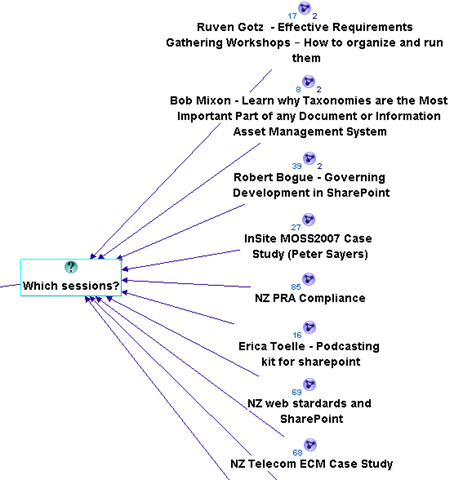
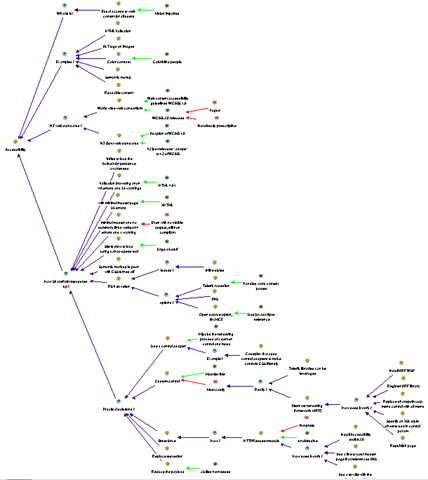
image   image

Another great way to learn is to send one of your maps to an IBIS practitioner and let them pull it to bits. Even those of us who have done this for a while need that constant reinforcement and feedback. Like any grammar, different things can be written in different ways and one person’s IBIS will not always look like someone else’s. (There is another blog post in the works that will show this in a funny way). At various times I have sent maps to Conklin for constructive feedback (and then ducked for cover! – hehe)

Finally, if you are serious about this and like what you are reading, then do what I did – the 5 week Issue Mapping webinar based workshops that Jeff Conklin runs, or if you are in Australia and want something local, then contact me for a half or full-day in-house Issue Mapping intro workshop. Both will not teach you to dialogue map, but by the end of them you will dream in IBIS 🙂

Lesson Five: IBIS translation in the reptile brain

Once the language of IBIS is familiar to you, you can take any argumentation and form a consistent IBIS map. You then have to learn how to listen very carefully because that is half the art. Now you have to take prose and pontification by participants and somehow unpack the points made, articulate them into a summary, and form an IBIS based model in your head, and then commit it to the map.

This can be hard – very hard, and it is nigh on impossible to do without applying what I told you in lesson one. A dialogue mapper is not superhuman and does not have photographic memory. The skill you are developing here is one where you pick out the IBIS elements of some dialogue quickly, as well as knowing when to interject to make sure you do not miss anything.

A great example of this working is when someone has stated something, and although I cannot remember all points, I know that there was a question and three ideas offered. I might pause the conversation before it goes too far and say something like “Ah, that was important and I need to get this right. I heard you say three things there. You questioned the idea of X, and you offered an answer with 3 pros. One was Y, and what were the other two again?”

Conklin explains meeting discourse and question types in his book and the aforementioned workshop in a lot of detail. But once again, to apply it to a real-world situation can only be done by practice (and more practice). The absolute best way to do this is to watch an experienced dialogue mapper perform this and look at how they handle the situation, which brings me onto lesson six.

Lesson Six: Observe

One of the most enjoyable training experiences of my career was to travel to the picturesque town of Annapolis and learn dialogue mapping from Jeff Conklin himself. Up until then, I had been practicing the craft, but after those two days, I returned as a much better practitioner.

The single most important part of the time spent there was when we, the students, dialogue mapped each other as we discussed a real-world issue. We each sat in the hot seat for fifteen minutes or so, trying to map the discussion. We were all being completely evil, deliberately starting side conversations, interrupting and interjecting, playing the role of the dominant type A style participant, jumping all over the place and, overall, just being as difficult as we could.

Unsurprisingly, we all sucked big time trying to dialogue map this. However, when Conklin took the floor, we then saw how exactly Dialogue Mapping was done and what twenty years of practice does. He effortlessly brushed off our attempts to trip him up by observing all of the lessons that I have thus far described, but also with some subtle tricks that we didn’t even notice until he told us afterwards.

After Conklin had wiped the floor with us, so to speak, we all got to have another crack at it, with the benefit of observation and hindsight. This time the difference was significant in our performance and the way that we each handled the “mob”.

Moral? The very best thing you can do is to be involved in a Dialogue Mapping session where it has been done well. Watch carefully what the mapper is doing and how they are conducting themselves and the process.

Lesson Seven: It will make you tired

If you think of all the various things that you have to do simultaneously (for examples listening, understanding, mapping, and managing the group) during Dialogue Mapping, it is amazing that anyone with a Y chromosome can manage it, given that men usually cannot multitask at all. (Case in point: If sport is on the radio and my wife is speaking to me, one of them has to be switched off…Sorry honey 🙂 ).

When you are first learning this craft and you are going to be up in front of a group, plan for only an hour or so. While you have to think quite consciously about things, it will exhaust you even more. Once things become more automatic, you can go for longer. From my own experience, the limit for Dialogue Mapping a big group on a really wicked topic would be about four hours at the absolute maximum. (Usually by then the participants also need to take a break and sleep on it anyway).

Some sessions can be intense, and you, as a mapper, need to be switched on for that entire time. You are listening carefully to every person speak because you are trying to form it into IBIS. So unlike everybody else who can sit there and look interested, yet be mentally switched off, you have to be interested by definition.

One thing about this is that, while you are in the zone, you don’t need coffee. When mapping, you have enough endorphins racing around your system to keep quite alert, but as soon as there is a break, you can find that you will feel quite tired at times, and a well timed coffee can be very handy (real coffee, of course – none of that instant junk!)

The one thing that compensates for what Dialogue Mapping can take out of you mentally, is that exhilarating experience when the group is really getting into the process and the positive feedback that you receive when a really well formed map has been developed.

Lesson Eight: Learn to love “transclusions” and CTRL+R

I thought that I would drop in a left-field lesson learned at this point that is still very important.

Trans-what? Don’t worry – I don’t know why they called it that either. Ted Nelson, who also coined the term “hypertext”, came up with the name but I think the day “transclusion” sprung to mind, he was having an off-day. I asked Conklin what it meant and he said “It’s technically accurate … an "inclusion" of material *across* (‘trans’) several documents”. When I whined about the geekiness of the name he added “There was a time when the word "hypertext" was a wacko term for geeks, you know”. Damn! He’s got me there.

My explanation that will suffice for now? Transclusions is a fancy way of describing the process of breaking your big map up into smaller, linked up sub-maps. I have also heard it referred to as chunking, and when maps get too big, this is a necessity. (For the hypertext nerds that is somewhat incomplete but suffices for this point).

The compendium software that I choose to use for this work also has a great feature in it. Your map is re-drawn automatically when you hold down the control key and press R. I am now in the habit that after entering a node or three, I redraw the map via this method to keep it all looking orderly. That way, if there has been a lot of dialogue captured, you do not end up with a messy, cluttered map that participants find hard to follow. Like lesson number three and four, stopping conversation while you refactor a messy map will cost you group momentum so ideally if you have gotten into the Control+R habit, all you have to do is a quick transclusion at an opportune time.

The best time to perform a map transclusion is when a thread of discussion has been exhausted and the group has moved onto a new idea or area in the map. A trick I learned from Anapolis was to sit up and say something like “Okay, let’s just pause for a minute.” (Holding up my hand), congratulate the group on the quality of what they have captured and then say something like “Let’s just put this stuff into its own pigeonhole, so we can now focus on X idea”.

Lesson Nine: Nurture the holding environment

Okay, so if there is to be one big serious lesson learned, it is this one. To make the point, I am going to quote Heifetz and Linsky from their excellent book Leadership on the Line. You can read a PDF press release here, specifically the section entitled “Control the temperature.”

Changing the status quo generates tension and produces heat by surfacing hidden conflicts and challenging organizational culture. It’s a deep and natural human impulse to seek order and calm, and organizations and communities can tolerate only so much distress before recoiling.

If you try to stimulate deep change, you have to control the temperature. There are really two tasks involved. The first is to raise the heat enough that people sit up, pay attention, and deal with the real threats and challenges facing them. Without some distress, there is no incentive for them to change anything. The second is to lower the temperature when necessary to reduce a counterproductive level of tension. Any community can only take so much pressure before it becomes either immobilized or spins out of control. The heat must stay within a tolerable range—not so high that people demand it be turned off completely, and not so low that they are lulled into inactivity.

Heifetz and Linsky talk about maintaining the “the productive range of distress” but I have heard many metaphors like this. Another I like is “creative abrasion”, coined by Leonard and Swap in their excellent book When Sparks Fly . Both are essentially talking about making the whole environment conducive to getting the best out of the participants.

The key takeaway is this: Each group is different and each situation is different. In the normal discourse of the meeting, there will be times where the group works together in almost perfect unison and times where one wrong word will destroy that balance and require the group to stop, reset things and move forward. This is not about IBIS either. The fact is that over time, a particular pattern will emerge in the decorum of the sessions, where conducting the sessions or approaching the mapping in a particular way, will work consistently well for the group.

Let me give you a classic example that was absolute genius on the part of my client who did exactly this. Before Dialogue Mapping for a group of concerned residents who were facing the prospect of significant change to the amenity of their homes, a bus was hired and the residents were taken to an area where a similar urban transformation had been made ten years before. We all walked around the area for an hour, soaking in the vibe, learning about the history of the area, how the area was redeveloped and how certain planning challenges were overcome.

This allowed the participants to get a real sense of the issues they needed to confront, and they felt it with all senses, sight, sound and tactile, rather than some cold, rather detached room with a projected map on the wall. Later, when I dialogue mapped the session after the bus tour, the group did a fantastic job and the quality of the rationale that was captured was much richer and faster, through that sensory immersion that took place before the mapping process began.

So just remember, Dialogue Mapping is a great holding environment in the sense that Heifetz and Linsky talk about. It is a wonderful “rich container”, as Conklin puts it, for fostering and maintaining creative abrasion. But as the bus ride example shows, there is a lot of things that you can combine with it to enhance the experience further.

More examples like this will be covered in part 4 of this series.

Thanks for reading

Paul Culmsee

www.sevensigma.com.au


BPC 09 August Wrap-up

It’s been quite some time since I have blogged, and the months of July/August were really pretty full-on professionally. High work demands and preparation for the Best Practices Conference meant that blogging and any sort of public work really took a back-seat.

So now that it is over and I am sitting here in an airport lounge reflecting, I have one word to say about the BPC 09 in DC that I just attended.

Segways rock!

image

You have not lived until you have ridden a segway – and I mean the new ones where you lean to control it. Even better than riding a segway is to ride it through DC, a city that blew me away with its amazing campus-like vibe. Never before has a city really pushed my buttons like this place. As you can see above, Ruven Gotz, Andrew Woodward and I visited some of the amazing DC sights and this photo in particular of Capitol Hill behind us, looking out toward the Lincoln memorial is something I’ll never forget. One thing is for sure, I am definitely coming back here for at least 2-3 weeks with the family just to absorb everything – sooner rather than later.

These best-practices events are really the conference where the material goes beyond the tech-stuff and caters additionally for an audience of consultants, business analysts, project managers and CIO’s. Some sessions are completely strategic, yet some delve deep into the guts of tech. In short, there is something for everyone.

Since the San Diego event back in Feb 09, my fellow kindred spirits, Ruven Gotz, Andrew Woodward, Dux Sy and I have been collaborating to bring our respective messages together and put a cohesiveness around what we have to say. This conference was the first peek of the fruit of that collaborative effort and as far as audience feedback went, it went down really well. In my last session of the conference I had a little Jerry Springer moment, when describing a particular slide that was a part of all of our respective talks, when I asked the audience to describe the slide and they all answered in perfect unison – hehe the message was heard 🙂

I presented 3 sessions, one on my own, and two co-presented with Ruven Gotz and Peter Serzo respectively. Ruven and I have been unhappy with the current (mis)understanding of governance around SharePoint and the culmination of our efforts over the last new months was a talk called “Governance – the other 90%”, although next time I will rename it to “Zen and the art of SharePoint Governance”. This was an umbrella talk to introduce our concepts and thinking, and then it was followed up later in the conference by talks by Ruven, myself and Andrew Woodward. Andrew took out the best overall speaker award too for the conference and we are all super-excited by the fruits of this collaboration so far, and I *know* that bigger and better things are to come from it.

For what its worth, if you want to be “one with SharePoint governance”, remember the key takeaway – beer is the best governance tool you’ve got. 🙂

The session with Peter Serzo was also such fun – we hit upon the idea of doing a Zoolander themed talk to introduce SQL Reporting Services to people who had not seen it. SSRS is one of those tools and technologies where even some well known SharePoint practitioners have not used it. With a title of “Reporting Services for the Really Really Good Looking”, we attracted a good turnout and managed to create and publish a report in 5 minutes, explain the architecture by getting members of the audience to stand up, wear aprons and “model” the various components and show how with no code, information workers could include drill down reports as well as personalised reports via parameters and filter web parts. The very awesome Brett Lonsdale (the guru behind BDC Meta Man), interrupted proceedings, claiming that the BDC was a better option and there was only one way to settle it – he and I had to do a BDC vs SSRS “walk off” which I *of course*, won easily :-).

Brett was a great sport, and I think for a minute audience members actually thought he was serious 🙂

(Now here comes the gushing love people..)

Also this time around, I’ve gotten to know more people and the rare opportunity to hook up again and spend some quality time with various friends was really the thing that makes the 36hr transit from Perth worth it. From the BBQ at Dux Sy’s house, to some great dialogue with Ben Curry of Mindsharp, Judy Cowan of Microsoft, Evan Burfield and the Synteractive people and my SamePage amigo’s (Dux, Ruven and Andrew Woodward). Ben Curry is an out and out genius, and our CV’s seem to read from the same script and I wish I had more opportunity to work with him. Evan Burfield is so scary smart that he automatically become my hero with his amazing understanding of stuff that I am interested in, yet only scratching the surface of the surface 🙂

Special callout to Laura Rogers (aka @wonderlaura). I had to look up what a muse was after she told me I was hers (I am a little sheltered over in Perth 🙂 ). Love her work – in fact, it is *her* work at endusersharepoint.com that inspired me to get back into more end-user content and try this whole screencasting thing. Laura, we are going to have to do something on EUSP together if you’d be up for it – it was a lot of fun hanging out and I think Peter Serzo would be up for something fun as well.

To the people who sat around the bar/restaurant/lobby table and supplied great laughs and great conversation. Zlatan Dzinic is utterly brilliant but is genetically programmed to be unable to whisper in someone else’s session 🙂 ). Mike Ferarra from SharePointReviews.com, Dan Usher, Lori Gowin, Ben Curry for messing with my head constantly, Paul Kolasky (the self-confessed poster boy for wicked problems who Laura eventually discovered *is* harmless 🙂 ) and special mention to Paul Stork – who was labelled as “that nerd who always has to jump ahead” during the Zoolander session.

Final thanks – Peter Serzo and his wife, Stacey. Peter is the most “Australian Amercian” who I have ever met. I think he must have been an Aussie in a former life. He is a tireless worker who’s imagination and inventiveness always sets off sparks of inspiration for me. I am going to try and find a way to get him over to Perth for a local training workshop or user group thing – they’d love his sense of humour.

Sorry if I missed anybody, I apologise. Also, please send me any photos, as many were taken, but I really was quite unsure about who’s camera was clicking at the time 🙂

Thanks for reading

Paul Culmsee

www.sevensigma.com.au


It’s going to be quiet around here (again)

banner604x75-speaker (3)

Just a quick note to say that it’s Best Practices Conference season again and this means I am a very busy boy. No doubt many other presenters are too because this is a conference that takes a disproportionally large amount of time to prepare and deliver compared to most conferences. As a result, blogging takes a back seat when preparing for such an event.

Why is this?

Well, for a start, we all don’t just get up there and rattle off a bunch of “oh, isn’t this cool” product features (that’s for Vegas ;-). On the contrary, the Best Practice Conferences are all about the real-life world of IT trying to empower business through tough, competitive and fast-moving times. To deliver at such a conference, you need to be at your best, and with top-notch, tried and tested solutions to what are often people as much as they are technical challenges.

Best Practices is about quality, resilience and adaptability in the face of constant change and competing priorities. The Best Practices Conference is where you’ll find great ideas, activities and techniques to apply in your organisation. You will come away with many new kung-fu skills, allowing you to:

  • Sort through the best solutions to any task
  • Reach consistent, confident decisions at every level
  • Break the cycle of avoidance, disagreement and subpar results
  • Eliminate design, deployment, organisational and administrative confusion
  • Enhance communication, collaboration and efficiency while lowering costs
  • Avoid technological errors, misconceptions and pitfalls
  • Leverage the hard-won experience of industry leaders
  • Gain early competitive advantages
  • Replace disorder with clarity, direction and confidence
  • Last time I was at a BPC, I met some brilliant people and we are now working together in a collaborative and commercial sense. We are all back again, and this time have decided to align all of our sessions and topics in such a way that we may offer a great end-to-end advice. If you attend this conference, look out for a group of related sessions by myself, Dux, Ruven and Andrew.

    My first topic, co-presenting with Ruven Gotz is called “Governance, the other 90%”. This, in a way, serves as an umbrella session for our other talks. In this particular session, Ruven and I have found a way to frame governance in a manner that seems to resonate with people and demystify the topic in a manner that we have not seen elsewhere. From the synopsis

    This session dissects the broader challenges of SharePoint governance, far beyond service delivery and assurance. It demystifies the grey fog of "people" issues and highlights the real factors that will make or break a SharePoint project.

    The next session in this series of talks is called “Wicked problems and SharePoint – The one best practice to rule them all”. Presumably regular readers of this blog will have a fair idea of what I am going to talk about 🙂

    Andrew Woodward is up next with his “Agile SharePoint Development – Is it Wicked?” session. This session continues the examination of why traditional approaches to SharePoint projects often result in failures or delivery of solutions that attain only a fraction of what is possible. This session looks at how adoption of agile development techniques helps deal with the wicked problems presented in SharePoint projects. We look at the thinking behind and trends in agile development and at the challenges companies face when adopting agile development.

    Next in the series is “7 Ways to Leverage SharePoint for Project Management Success” by Dux Sy. In this presentation, Dux provides a practical approach to using SharePoint to address the challenges of inefficient communication among stakeholders, poor document management practices and undefined project collaboration standards.

    Ruven then takes the stage with his “Content Types and Site Columns – Working with stakeholders to build the taxonomy” session. This session is centred around stakeholder understanding of the concepts of metadata, a process that is iterative in nature. Ruven will introduce various tools and methods that have proven to be successful for explaining these concepts and then organizing an information architecture.

    There are of course, a whole raft of brilliant speakers from all over the world converging for this talk and this promises to be the best BPC yet

    Hope to see you there!

    Thanks for reading


    Paul Culmsee

    www.sevensigma.com.au


    The secret to understanding governance

    I’m very tempted to start this post like a dodgy wealth-guru infomercial. You know the ones with lots of imagery of people living the dream of financial freedom. I am thinking a montage of a resort, a large yacht anchored in a topical bay, carving up the water with a jet-ski and then a shot of me standing next to my Ferrari, champagne in hand, with Megan Fox on my arm. My message would be that for a “small” fee of $10,000, you too could learn the secrets to your financial freedom in an intimate, exclusive but “intensive” weekend workshop. Just you and the 15,000 other people that pack into the convention hall 🙂

    Alas, we both know that this is never going to happen but this post may have a little of that feeling to it. I have titled it “The secret to understanding governance”, because I think there is a way to understand governance that will help you, your colleagues and your team members significantly. Like all good “wealth guru” infomercials, I’m going to give you some hints and I’m kind of hoping that you will then be interested in attending a workshop to find out the rest.

    The one difference between the wealth guru and me, though, is that I will never have Megan Fox hanging off my arm, and I am actually going to tell you something useful in this post.

    So, what is this big “secret”, anyway?

    Definitions definitions definitions

    One thing that we all tend to get suckered into doing at times is feeling the urge to define “stuff”. Academics do it all the time. I’ve read countless papers where the authors start out with a ten page examination of all the past definitions of their given topic, before proceeding to tell you why those definitions are inadequate in some way, followed by their own revised definitions. They spend the rest of their essays justifying why their definitions are more correct than their predecessors.

    Defining stuff is a time consuming and tiring exercise. Since we live in a world of constant change there will always be new influences which shape and frame perceptions. Therefore, the definition that you spent so much effort on coming up with is redefined by the next academic or blogger who follows the path that you took. Sometimes a whole new word is invented, or an existing word is suddenly used in a new context and the whole cycle starts all over again.

    I once explained the philosophical and process aspects of Agile/Scrum to a seriously experienced project manager. This was a fellow who was the PM when skyscrapers were erected. He listened carefully to my explanation, sat back and said “I’ve been doing that for 30 years. There’s nothing new there”. I also found a similar observation in “The Small Business Guerrilla Guide to Six Sigma” by Jay Arthur.

    Over the years, I’ve had a chance to learn and study just about every “brand name” systematic improvement methodology. Guess what…they are all pretty much the same. To appear different, consultants have changed:
    – the name to Six Sigma (from Total Quality Management)
    – the acronyms to confuse the unwary (PDCA to DMAIC)
    – the number of tools required for success
    – the number of steps in the process (5 to 14 steps)
    but…
    – the key tools are the same
    – the process for using the tools is the same
    – and the results are identical assuming you can figure out how to use the wide range of tools and processes

    In my opinion, defining things to the nth degree is a zero sum game. Often you confuse the issue more than you clarify it because in your attempts to explain something, you incorporate new words that you then have to explain.

    Some ROI Wisdom

    Several years ago I was attending a job interview for a promotion and the topic of return on investment came up. I had made the point that most things could be quantified and one of the interviewers fired back “Well tell me how you measure quality?”

    That was a curveball that I wasn’t expecting, and I didn’t have an answer (and never got the job either).

    Some time later, I read a terrific book by Douglas Hubbard on measurement and return on investment called “How To Measure Anything”. It armed me with some new kung-fu skills and also gave me the perfect comeback answer that I sorely needed during that interview. The question “How do you measure quality?” actually makes very little sense to ask. The reason is quite simple. “Quality is not what you measure. It is the effect it has on something that you measure”.

    It is very easy to illustrate the logic behind this important point. Undertaking a quality initiative costs time, money and resources. You are only spending that money and investing those resources because you believe that undertaking this quality initiative will make a positive difference in some way. Otherwise, why bother? If you do not believe that it will make a positive difference, why throw money away?

    So, if asked “How do you measure quality?”, you can answer by asking questions back, along the lines of:

    • “What does improved quality look like to you?”
    • “What is the effect of quality?”
    • “How do you know your quality initiative is working?”

    The answers to these questions tend to start with “increased this” or “decreased that”. It now should be abundantly clear why asking “How do you measure quality?” actually makes no sense. In fact it is completely the wrong question to ask. Instead, by re-framing the question slightly, you suddenly have answers that can be quantified using the techniques that I detailed in my “Learn to speak to your CFO” series and provided in my free SharePoint ROI modelling spreadsheet.

    This same logic applies to other words that are better understood by examining their effect, rather than trying to (re)define them. Examples:

    • Security
    • Flexibility
    • Collaboration
    • Resilience
    • Wellbeing

    All of these share the same characteristic as “governance” in that they are easily understood by the effect they have, but harder to define in a universal way.

    The secret to understanding governance

    The really silly thing about all this is that I did a talk on SharePoint ROI at the Best Practice Conference in Feb 09. In that talk, I explained the above chain of logic and made the point that the way to find measurable success factors with anything that seems “unquantifiable” is to ask the “what will it look like if we do this?” type question. I used this logic to come up with measurable key performance indicators that enabled me to simulate the future financial return (internal rate of return and net present value) of a large SharePoint investment for a mid sized organisation (slide deck and spreadsheet can be downloaded here).

    But despite writing several articles and speaking on this topic, the ROI stuff was one of several clouds of “stuff” that was floating around my brain. SharePoint governance was also floating in one of those clouds too, as well as broader governance in a planning and sustainability context. It took a casual comment from Bjørn Furuknap that suddenly gave me one of those wonderful bolts of inspiration and clarify, where these disparate clouds of thought suddenly coalesced and I made a significant breakthrough in my understanding.

    Define “governance” in any way you want. I really don’t care – so long as you understand the difference it makes *for you* and you ask the same question of your other stakeholders and participants. Put aside the need to define governance for a while, and instead view “governance” as a means to attain a desirable future state. Agree with each-other on what that state is going to look like. Now tell me the differences between where you are now and that desirable future state.

    By asking the question this way, you not only stimulate much more meaningful debate, you will have a much better understanding of everybody else’s frame of reference and the emphasis that they place on various aspects of that difference. The “definition” of governance that you are trying to find will start to suggest itself through those differences between the current and desired state. At the end of the day, that is what really matters.

    Instead of reading a methodology like COBiT or ITIL, or following what people like me, Joel, Robert Bogue, Andrew Woodward, Dux Sy and Ruven Gotz say, look at your own needs as an individual, a team and then an organisation. Determine where you want to be, include IT and non IT views and then start to think about what you need to do to get to your desired state.

    Congratulations, you’re now officially “governing”. Wasn’t that hard, was it? 🙂

    Best practices versus worst practices

    This same “secret” to understanding governance also provides the answer to why experts disagree on what is a “best practice”. I sometimes will read a “best practice” and think to myself “No way, that would never work”. Yet, although it doesn’t work for me, I rarely come away thinking the person making the recommendation is actually wrong. When you understand that the “best practice” made a positive difference, and it moved the organisation further along the road from the undesired present state toward the desired future state, then it is perfectly clear why one man’s best practice is another man’s worst practice. No matter what you did, you moved forward – and that is a good thing.

    Furthermore, if you agree with the notion that the “best” solution to a problem is the one that has the most shared commitment among participants to seeing it through, then I argue that a perceived “worst practice” with deep commitment and buy-in among stakeholders will deliver a better solution than a “best practice” with poor buy-in and commitment among stakeholders.

    Want to argue that point with me? (I’ve got more ammo than this!) Then you can spend 3 days doing that if you want!

    …for a small fee 🙂

    My intent with this post was to try and lift some of the fog and confusion that surrounds this nebulous thing called governance by suggesting that defining it to the nth degree is not the way forward. “Best and worst” practices? Both are commonly context and culture dependant. Instead, your (multidisciplinary) team needs to agree on and understand your desired future state and where you are now. By starting with the end in mind you will be able to collectively determine what processes, tools and methods to use to get to that place.

    The philosophical approaches that I have described in this article are just the tip of the iceberg in relation to the work that I have been doing with Andrew Woodward, Dux Sy and Ruven Gotz for the planned “Governance Mentoring Workshop”, to run for 3 days prior to the August Best Practices Conference. This workshop will be unlike any other SharePoint governance training that is currently in existence and much of the material is completely original and not borrowed from any of the traditional SharePoint governance material that exists today.

    Finally, to go back to infomercial mode…

    This offer is for a limited time only. Act now! If you’re not completely satisfied, we offer a full “return to base” warranty 🙂

    Act Now!

    This offer is strictly limited!

    Act Now!

    Pick up the phone and take the first step toward the new life that is waiting for you!

    Act Now!

    Thanks for reading

    Paul Culmsee


    Who wants to spend 3 days with me and the gang?

    A quick bit of background. My last 2 trips to the USA were particularly fruitful in meeting many like-minded SharePoint pros, all of which are well known and highly regarded. Some close friendships were made and what was really cool was that some people I met, despite having very different skills and experience (and physical locations!), seemed to connect on a level that gave us the desire and impetus to to work together very closely idealistically and commercially. More on that soon enough… 🙂

    So who are the members of this global group of SharePoint mystery men?

    • Andrew (Agile Boy) Woodward – Agile extraordinaire. So damn agile in fact that blink and you’d never know he was there. Able to demolish long SharePoint projects into bite sized chunks in a single bound
    • Ruven (Magneto) Gotz. Mind mapping maestro with the ability to bend information architecture to his will, and able to know what you want before you even have formed the question
    • Dux (Mr Myagi) Sy. A sensei project Manager who will teach you the wax-on/wax-off approach to successful SharePoint delivery. He might even get you to paint his fence if you are lucky

    and me (aka Dr Wicked) round it off – pushing the boundaries of pop-culture metaphors for cheap laughs and the odd bit of work on shared understanding, ROI and SharePoint governance.

    So why does any of this matter?

    image

    It just so happens that all four of us are soon to be in the same place at the same time. This is actually a frustratingly rare occasion, given that Andrew is in the UK, I am in Western Australia, Dux is in DC and Ruven is in Toronto. But in August, we will all be presenting at the SharePoint Best Practices Conference in DC. We are all tremendously honoured to be presenters at this event and this time around, we have been collaborating together to try and really deliver some great sessions that capture the essence of our common philosophical approaches.

    It takes me around 30 hours of transit to get to the east coast, and Andrew also has to travel a fair distance too. Therefore when these sorts of opportunities present themselves, we like to make the most of it – and we are *not* just talking beer! (ok well that’s not strictly true – beer is a significant motivation :-D)

    Accordingly, we are planning a special “SharePoint Governance Mentoring” workshop that will run over a period of 3 days (August 19-21, 2009), prior to the conference itself. It will be a unique, one-off event and numbers will be strictly limited. We think that our combined skills cover the broad spectrum of the SharePoint universe very well, with a particularly strong governance underpinning. Participants will be able to delve into topics such as how to manage a SharePoint project, practical techniques in gathering requirements, achieving shared understanding and buy-in, information architecture, team dynamics and the root causes of organisational chaos that make SharePoint an attractive proposition in the first place. We will also cover making a great business case and understanding return on investment, how to approach application development on the SharePoint platform and above all, learning what governance is really all about, and applying the right sort of governance at the right time. 

    Additionally, plenty of time will be allocated for participants to discuss their SharePoint challenges in an open forum, so if you bring your SharePoint baggage, we will lend a sympathetic ear and then arm you with some new kung-fu skills to take back to your organisation.

    Does this event sound like your cup of tea? If so, we need to hear from you! We will publish the workshop details and outline in mid-July but we need to gauge interest now. The cost for this three day event will be $1750 per attendee, although anyone who is registered for SharePoint Best Practices Conference will be entitled to a 10% discount.

    So if this sounds good to you, then please register your interest at Dux’s site below:

    http://sp.meetdux.com/workshop_interest.aspx

    Thanks for reading (and we hope to see you there!)

    Paul Culmsee

    www.sevensigma.com.au


    Core Principles for User Engagement – a must read …er… explore!

    I listened to Steve Smith talk about user engagement on the SharePoint Pod Show today and found myself nodding in strong agreement with many points that he made. So while in that mood of stakeholder engagement and how to achieve it, twitter made me aware of a really terrific Debategraph map on the topic of “Core Principles of Public Engagements” and think it is mandatory learning material for any SharePoint architect/collaboration consultant/business analyst/business improvement specialists/<insert title here>.

    The map above, came from a collaborative effort called the “Public Engagement Principals Project”. This is a recent project (February 2009) and the aim was to “create clarity in our field about what we consider to be the fundamental components of quality public engagement”. The outcome of this project are seven recommendations that reflect the common beliefs and understandings of those working in the fields of public engagement, conflict resolution, and collaboration.

    1. Careful Planning and Preparation
    Through adequate and inclusive planning, ensure that the design, organization, and convening of the process serve both a clearly defined purpose and the needs of the participants.

    2. Inclusion and Demographic Diversity
    Equitably incorporate diverse people, voices, ideas, and information to lay the groundwork for quality outcomes and democratic legitimacy.

    3. Collaboration and Shared Purpose
    Support and encourage participants, government and community institutions, and others to work together to advance the common good.

    4. Openness and Learning
    Help all involved listen to each other, explore new ideas unconstrained by predetermined outcomes, learn and apply information in ways that generate new options, and rigorously evaluate public engagement activities for effectiveness.

    5. Transparency and Trust
    Be clear and open about the process, and provide a public record of the organizers, sponsors, outcomes, and range of views and ideas expressed.

    6. Impact and Action
    Ensure each participatory effort has real potential to make a difference, and that participants are aware of that potential.

    7. Sustained Engagement and Participatory Culture
    Promote a culture of participation with programs and institutions that support ongoing quality public engagement.

    Despite the fact this map is all about public engagement, this material is absolutely the best advice you could ever get for dealing with user engagement in your SharePoint endeavours. If you have any interest whatsoever in the mystical arts of getting true understanding and buy-in among your organisational stakeholder group, then this map (and its underlying documents), is for you.

    Also, be sure to use the Debategraph toolbar to explore the detailed information in the root node. There is a lot of supplementary information in this map that you can easily access by clicking on the “Show detailed text and comments” icon (highlighted below).

    image 

    If you are using the Seven Sigma Web Part for Debategraph, the Map ID is 16220 and you can incorporate this map into your broader governance site. I’ll be linking this map into my SharePoint governance map later as I think it complements, and expands upon the information contained there.

    I think these seven principles make a terrific starting point for developing your own guiding principles around user-engagement as part of your governance efforts.

    Finally, if you want more detailed information about how this map came to be, then consult the links below


    Thanks for reading

    Paul Culmsee


    Listen to me blab on about crap ;-)

    Hi

    I have been very busy on a number of fronts – which is why the blog hasn’t had much attention lately. I’ll be back soon enough though – once I get a few big jobs done.

    For those of you that are not aware, there is a podcast interview that I did with Brett Lonsdale at Sharepoint Pod Show where he allowed me to blab on and on and on and on 🙂 Poor Brett – he didn’t know what he was getting himself into at all!

    So if you think my posts are boring and wordy, wait till you hear me talk! 🙂

    Paul


    Perth SharePoint Users Group wrap

    Today I presented a session at the Perth SharePoint Users Group. I was a little unsure whether my non-technically focussed content would be of interest to the geeks but the turnout was terrific and the feedback has been brilliant. (The 3 copies I gave away of Dux’s excellent “SharePoint for Project Management” book may have sweetened the deal – hehe )

    My sincere thanks to new user group president Sezai Komur for giving me the opportunity to present this material as it was the first time it has seen the light of day in Perth.

    If you want to check out the slide deck from the session, you will find it below. Expanded information that builds on this content can be found at the Seven Sigma site, as well as here at CleverWorkarounds.

    Thanks for reading

    Paul Culmsee
    www.sevensigma.com.au


    Review – Balsamiq Mockup Tool (for SharePoint)

    image

    Hi

    It’s review week here at CleverworkArounds, and the next one on my list that I have been meaning to speak about is an application called Balsamiq Mockups. Mr Mindmapper himself, Ruven Gotz first turned me onto this application some time back, and I have found it very useful in taming RBO (rampant branding obsession).

    Although I have written various posts on SharePoint branding, most of the time I find it a tiresome task that for many sites, is pushed way too far up the priority list to the point that much more critical success factors are overlooked or given lip service. Now in saying that, I will admit straight up that although I know how branding *should* be done from a sustainable governance point of view, I suck royally at making a site look good myself and I compensate by relentlessly pummelling SharePoint branding governance best-practices onto completely unsuspecting web designers.

    Such fun 🙂

    Balsamiq Mockups has adopted a visual based site wireframing approach that takes the opposite approach to the “Photoshop” approach to site design. A web designer using a tool like Photoshop will attempt to create an accurate visual representation of a site based on a stakeholder’s tastes (or lack thereof). The risk here with SharePoint is that the branding vision that is created using Photoshop can often be quite tricky to achieve in SharePoint without being “governance naughty”, particularly for collaborative sites that make extensive use of web parts, application pages and document libraries.

    Some of the most difficult SharePoint recovery jobs that I have had to do were a direct result of seemingly innocent “customisations” that came from branding requirements.

    So, how can Balsamiq help?

    For a start, a complete design-challenged person like me can actually produce something useful :-).

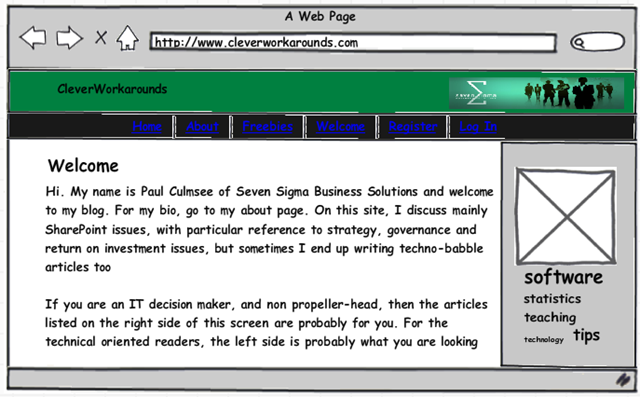
    More importantly, however, it is designed on a completely different premise than the Photoshop style approach to design. This tool works on a principle of emulating hand-drawn designs, supplying you with a bunch of drag-and-drop widgets and interface elements which allow you to construct the basic structure of a site in minutes. Out of the box, there are around 70 elements that can be used to construct a web site and you can see the results of my 5 minute effort in the image at the start of this article.

    Want to see how easy it is? Then check the video below (assuming your IT department has not blocked Youtube).

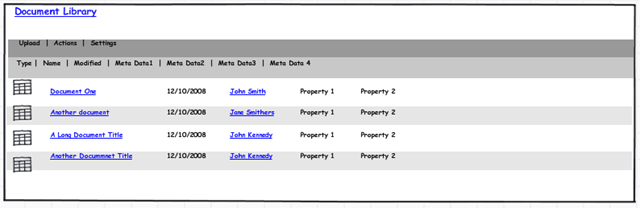
    Although the video shows how easy it is to create a mock up, you may be wondering if there are any SharePoint specific design elements. Out of the box there are not. But fear not, there is a flourishing community around this product that creates additional elements for you to use. SharePoint is well represented here.

    Want to drop a SharePoint document library onto the page? Too easy.

    image 

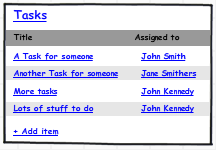
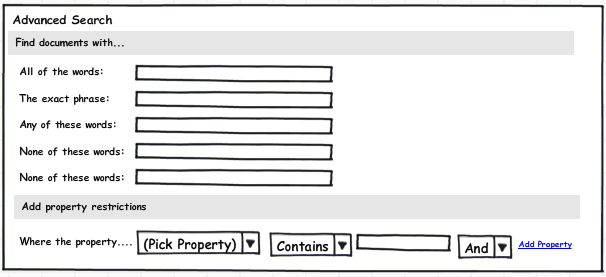
    Did someone say calendar, tasks or search?

    image image image

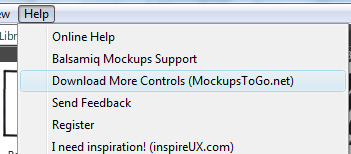
    This application does not take much of an investment in learning. One can pretty much learn the product just by watching the Youtube video and learning how to import other design elements is just a matter of clicking the help menu and choosing the “Download More Controls” option.

    image

    Would hard-core web designers may find the application cramps their artistic style? Maybe – I can only speculate. But for me, I spend most of my time in a PM, training, architect or advisory role. As a result, Balsamiq Mockups is perfect for me because, it above all else, it is quick to produce results. I can flesh out a SharePoint basic site design without having to fiddle around with master pages, SharePoint designer or CSS files (and for that I am eternally grateful!)

    I can then export the mockup to a PNG file and use that in documentation, presentations, and best of all, my issue and dialogue maps which makes great strides in achieving the all-important goal of shared understanding among project participants.

    image

    Try Balsamiq Mockups out. It’s a great tool to add to your armoury.

    Thanks for reading

    Paul Culmsee
    www.sevensigma.com.au


    Review – Understanding SharePoint Journal

    I have been a huge fan of Bjørn Furuknap ever since I first read his amazing series of posts on on customising the user experience at SharePointMagazine.

    What struck me about Bjørn is the quality of his content and his fluid, entertaining and accessible style of writing. Although I can code okay enough, I am not a serious developer by any stretch. But Bjørn’s ability to weave his way through some large, fairly prickly programming topics and at the same time keep a part-timer like me, not only following it all, but really interested from start to finish, is a testament to his skill as a writer and trainer.

    Learning SharePoint with USP Journal

    So when I found out he had started a series of SharePoint journals, I was very keen to provide a review and asked him nicely if I could :-).

    In short, I’m glad I did.

    This debut edition starts on a relatively simple premise. “How do we see who is logged into my SharePoint site at any time”? We learn pretty quickly that this is not as simple as it sounds, but Bjørn deftly teases apart this question into the true problem statement, via basic user stories and easy to understand examples. The proposed solution is described at a high level, with a description on what you need to solve the problem and then summarises it with a mission statement, covering the goals of the solution and the “rules of engagement”

    The “rules of engagement” are clear and have a strong governance/assurance affinity (brings a tear to my eye). The rules are;

    • Use only supportable methods and not harm a single Microsoft-provided file
    • Use the least amount of effort as possible
    • Utilize SharePoint native techniques as much as possible

    I’m sure that “Governance man” would approve…

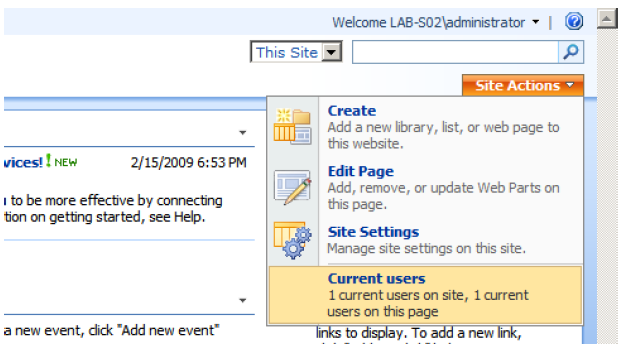
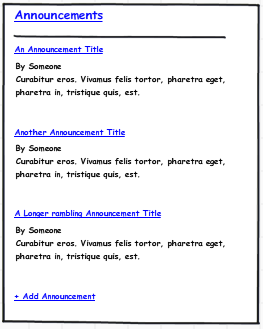
    The final component of the introduction is a preview of the completed project (with screenshots – including one that I have pasted here).

    image

    Chapter 2-5 gets right into the think of things. Bjørn doesn’t assume too much (he skips programming 101 stuff like SharePoint features), but takes the time to explain setting up your project in Visual Studio for each component of this solution. He balances the theory with the practical extremely well, and manages to pack in a whole bunch of really important tools and key concepts such as:

    • WSPBuilder
    • DelegateControl (I love DelegateControl and I‘m not even a developer 🙂 )
    • List creation via feature (and code)
    • FeatureReceivers
    • SharePoint Manager 2007
    • CAML
    • Feature scopes and dependencies (via the object model)
    • Custom application pages
    • CustomAction methods

    All chapters come with review questions to ensure key concepts have been learned. Even better still, all code from the journals are posted on codeplex so you can download the complete solutions. Brilliant stuff!

    All in all, I have to say that of all of the development oriented authors that I read, Bjørn is one of the best writers out there, If you liked his work on SharePointMagazine and his own blog, then you will love these journals. If you are starting out your career in SharePoint development and want to learn a whole lot of different concepts in a fashion that is underpinned by sustainable development practices, then I strongly suggest that you grab yourself a copy.

    Well done mate, great work!

    Paul Culmsee

    www.sevensigma.com.au


    « Previous PageNext Page »

    Today is: Wednesday 3 June 2026 -