Back to Cleverworkarounds mainpage
 

Disk and I/O Sizing for MOSS2007 – Part 2

This is part two of a two part article that discusses techniques for sizing your disk requirements for SharePoint. It is one of a myriad of tasks that you have to perform as part of the planning process, but it is one task that you ideally want to get right the first time, as storage technology can be a potentially high capital cost. I first performed a comprehensive analysis of disk space and performance scalability requirements for a MOSS07 farm back in February 07.

The first article examines some of the tools and techniques you can utilise to help you fill out Microsoft’s sizing worksheet. Part two builds upon this with a real-world example. So to recap from part 1, we have the following stats captured.

Continue reading “Disk and I/O Sizing for MOSS2007 – Part 2”


Disk and I/O Sizing for MOSS2007 – Part 1

This two part article discusses techniques for sizing your disk requirements for SharePoint. It is one of a myriad of tasks that you have to perform as part of the planning process, but it is one task that you ideally want to get right the first time, as storage technology can be a potentially high capital cost. I first performed a comprehensive analysis of disk space and performance scalability requirements for a MOSS07 farm back in February 07, and at this time, apart from “Yoda Joel“, there was not much out there in relation to planning for SharePoint (particularly in relation to disk sizing). For the record, Joel is *the* ultimate SharePoint all rounder – his blog is essential reading for any SharePoint professional – magnificent stuff. “Give me a ‘J’, give me an ‘O’, give me a”… okay, now that’s definitely getting kinda weird 🙂

Anyway, this post outlines my SharePoint sizing methodology that I employed at that time. What I found personally satisfying about this work, was that when I re-examined this particular farm some months later, the sizing was bang on the money.

So as I mentioned, a lot more material exists now than then, but the information that I did find useful at the time is listed below (it may have been refreshed since I used it):

So here is how I went about disk performance and growth sizing…

The requirements

This client was interested in SharePoint for collaborative document management. They had many projects with teams from 2-100 staff involved. So much of what existed on file servers was to be moved to a SharePoint environment. The growth rate of this company was significant – from 300-1110 staff in less than two years. Hence, as typically happens with such growth, the existing infrastructure, architecture and processed did not cope well with the new scale.

They used a fair amount of files on the existing file server, in the region of 1.2 terabytes. That figure alone is enough to require significant planning across a whole diverse range of SharePoint areas, not just disk space, (I will eventually get around to writing some articles covering these areas as well.). But in additon to the large amount of files on the file server, we had run a pilot SharePoint site for a single smallish project for 2 months prior.

The current regime

So since SharePoint was going to obviously use a lot of document libraries, I initially needed a point of reference to determine the current organic growth in disk space and I/O performance. The Head office had 600 staff,  and two other major regional offices had a large number of staff. I needed to monitor disk usage over time, but as well, I needed estimates on what disk size was in the past.

Using this information, I would be able to interpolate future growth.

So first I talked to the HR department and key management staff to find out the following information for each of the offices:

  • Current staff numbers
  • Estimated staff numbers in 2 years
  • Average growth rate in staff over the last 2 years

From this I derived an annual growth rate in staff numbers per office.

The next step was to examine the current file server performance for each office. This was performed via windows performance monitor (perfmon) and examining specific performance monitor counters. Below are the initial statistics I recorded:

  • System Uptime
  • Total Logons since reboot
  • Logins per minute (total logons / system uptime / 60)
  • Total Opened Files since reboot
  • Files opened per minute Total Opened Files since reboot / system uptime / 60
  • Average Disk Queue length

The specific performance monitor counters are:

  • System\System Up Time
  • Server\Logon Total
  • Server\Files Opened Total
  • PhysicalDisk\Avg. Disk Queue Length

image

Estimating Disk I/O and Growth Requirements

Now it is important to mention here that you cannot take these counters at face value! You need to perform more analysis against these results. For example:

  • The bulk of user data activity happens during office hours to the ‘per hour’ figures need to be further refined.
  • These figures do not break down the type of I/O. So for example, there still exists lame applications who’s idea of multi-user is to run the application from a shared network drive on the server. Such desktop applications running from the server it have the potential to seriously skew your results as there can be a considerable amount of I/O here.
  • Backups will also potentially affect these figures and you should monitor the affect on the above counters that a backup will have on the overall numbers.
  • SharePoint may only be scoped to replace a particular set of files on the server, yet the file count counters show ALL files. You cannot break it down.

So one has to take these overall figures and eventually apply a weighting, which adjust the values to the estimated portion that is relevant to SharePoint. How that weighting is determined is one of the key requirements of a disk analysis methodology.

Now having said that, you could do this via an educated guess, by talking to administration staff to determine a figure, but it would be what project managers call a ‘plus or minus’ 40% estimate. Such estimates are usually termed ‘preliminary estimate’. If this is acceptable, then go with it, since gleaning more accurate information is a time vs. results tradeoff. (I mean hey, if you are a mining company in Perth right now, this is all small change)

But, if you are accountable for the results of this test and you want to cover your butt, then look more into it 🙂 Try and come up with a plus or minus 10% estimate and document how you came up with the figure.

So below are some of the techniques you can use to dig further.

Backup Logs

Examining past backup logs will allow you to infer many things such as:

  • Disk throughput (examine how long the backup took to run versus the amount backed up)
  • The total amount of data backed up
  • The number of files backed up.

More importantly, allows you to get some idea of the organic disk growth over time, if you can view backup reports from say, 1 year ago to now, then it should paint a reasonable picture.

Always make sure that you are only examining the weekly full backup, not the daily incremental or differential backups. It is not uncommon for some data considered of less importance to be only backed up less frequently, so this should be checked also. But my logic here is unless someone has screwed up big time, you can have reasonable confidence that the figures you get from this are based on the actual important data.

Pilot SharePoint

Running a limited pilot SharePoint production site can be an excellent microcosm of what the eventual full scale production environment will be like. I’ll save the comprehensive article on a pilot installation later. But ideally you limit the pilot scope and affected staff, but still use it in production during this time. It becomes a critical environment to support of course, but the benefit here is it impacts on less staff, allows IT technical and operational personnel to learn the product and starts the ball rolling on governance and other critical issues that need to be addressed. The added bonus is that it allows you to compare what ‘regular’ organic disk space growth is in your environment, to the equivalent growth is when the data is instead in SharePoint. Remember, SharePoint document libraries offer some tremendous productivity enhancements such as version control, indexing and recycle bin affecting space. Later in this article, you will see how I went about estimating disk growth by using a pilot site.

Logical Disk counters

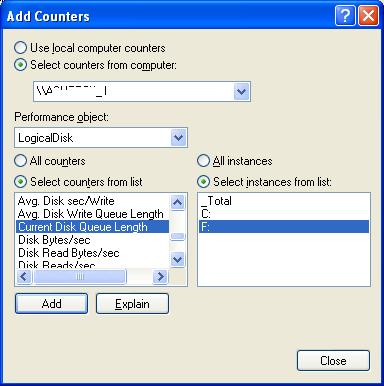
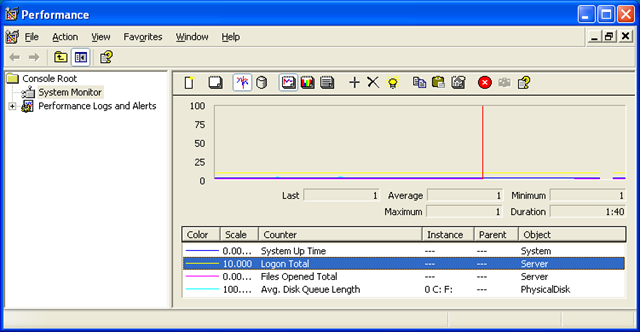
If the administrators of the file server have been clever, they would have split data across different disks or partitions for performance and managability reasons. It is possible to infer from this, the breakdown of file I/O by examining disk performance counters that are collected on a per-partition/disk basis. The best performance monitor counters are the LogicalDisk category, since you can have multiple logical partitions on a single physical disk. Note below I can choose C:\ or F:\ to view the current disk queue length

image

I remember years back that Microsoft considered anything over 2 to indicate a disk under load. Yoda Joel suggests that the figure should stay over 1. I would advise you to heed his advice – Yodas always know best – they are jedi after all!

Computer Management – Shared Files

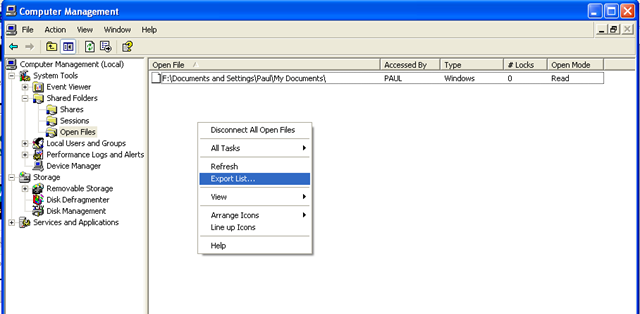
Whilst the previous method is useful for I/O performance, its not granular in terms of file breakdown. Examining the open files in the “Computer Management” MMC also will allow you to perform more detailed analysis. Unfortunately, exporting this data leaves something to be desired and you can only grab the data by right clicking in this window and choosing “Export List”

image

This will generate a tab delimited text file that can be loaded into Excel for further analysis. The columns reported are:

Open File Lists the names of open files. An open file could be a file, a named pipe, a print job in a print spooler, or a resource of an unrecognized type. In some cases, a print job is shown here as an open named pipe
Accessed By The name of the user who has opened the file or accessed the resource
Type Displays the type of network connection: Windows, NetWare, or Macintosh
# Locks Displays the number of application-initiated file locks on the resource
Open Mode Displays the permission that was granted when the resource was opened

Knowing the user that opened the file is very handy as it allows for some other statistics to be inferred.

Other Methods

Unlike my series of articles on branding, I am not going to write an epic 6 part article on performance capturing. But a few other techniques that may be applicable to you depends on the technology and vendor you have. If the servers are SAN connected, you can almost certainly capture detailed disk I/O stats via its management console and likely, SNMP.

A Basic Example

Below is an example of a basic determination of current disk activity with an initial attempt at weighting the numbers.

MYSERVER stats taken 10am – 30/1/2007

  • System Uptime: 551 hours
  • Total Logons since reboot: 927794
  • Logons per minute – 927794 / (551 * 60): 28
  • Total Opened Files since reboot: 114518692
  • Files opened per minute – 114518692 / (551 * 60) : 3463
  • Average Disk Queue length: 2-4

Clearly, on the surface of it, this is a heavily utilized server and before we even think of moving to SharePoint, these figures alone indicate that more analysis is needed. Note that the period in which these statistics were gathered was 10am which is considered a peak time.

MYSERVER is used for shared applications as well as shared files. Luckily all shared applications are stored on E:\APPS.

Here is the breakdown

  • Reported open files in computer management: 1206
  • Number of unique users listed with opened files: 201
  • Number of open files for E:\APPS: 664
  • Number remaining not E:\APPS: 542
  • % of open files to DATA shares: 45%
  • Of non E:\APPS, number of open files (as opposed to folder): 314
  • % of open files versus active listed files (314/1206): 26%

So now we have an idea of the sort of initial weighting to use. At this point, you can move to part 2 of this topic to see how we took these figures and determined both disk I/O throughput as well as disk space sizing

thanks for reading


WIFI Security: Background, Risks and Mitigation Part 2

Tags: Cisco,Security,WIFI @ 10:24 am


Like my posts on IT governance standards, I produced this training material some time back when I was doing a lot of IT security work. I’ve since moved onto other IT disciplines, but I hope that this article is of some use to those looking for an introduction to WIFI security. I have divided the material into two parts. The first half is background and theory, and this post illustrates a practical example.

First up, let’s finish off a little theory to go with the first post.

Continue reading “WIFI Security: Background, Risks and Mitigation Part 2”


WIFI Security: Background, Risks and Mitigation Part 1

Tags: Cisco,Security,WIFI @ 9:58 am

Like my posts on IT governance standards, I produced this training material some time back when I was doing a lot of IT security work. I’ve since moved onto other IT disciplines, but I hope that this article is of some use to those looking for an introduction to WIFI security. I have divided the material into two parts. The first half is background and theory, and the second half of a practical example.

I remember when writing it, my audience, although technically savvy did not a have a strong background in cryptography or security. So I tried to make it easy to read, rather than too technical. Not sure if I succeeded! 🙂

Continue reading “WIFI Security: Background, Risks and Mitigation Part 1”


IT Governance Standards: COBIT, ISO17799/27001, ITIL and PMBOK – Part 4

The content of this blog is essentially material I compiled for training sessions that I ran last year. It was originally PowerPoint, but I hope that this blog version is useful. Some of the legislative stuff is probably now out of date, and it was for an Australian audience – moral of the story is to do your own research.

For part 1 of this presentation, view this post, part 2 this post and part 3 here.

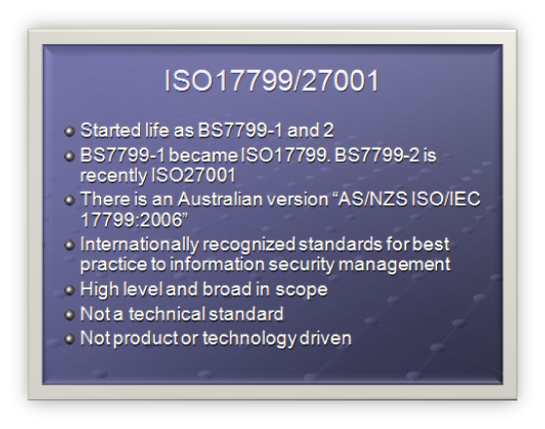
ISO17799/27001

  • Started life as BS7799-1 and 2
  • BS7799-1 became ISO17799. BS7799-2 is recently ISO27001
  • There is an Australian version "AS/NZS ISO/IEC 17799:2006"
  • Internationally recognized standards for best practice to information security management
  • High level and broad in scope
  • Not a technical standard
  • Not product or technology driven

ISO 17799 is a direct descendant of part of the British Standard Institute (BSI) Information Security Management standard BS 7799. The BSI (www.bsi-global.com) has long been proactive in the evolving arena of Information Security.

The BS 7799 standard consists of:

  • Part 1: Information Technology-Code of practice for information security management
  • Part 2: Information security management systems-Specification with guidance for use.

BS7799 was revised several times, and by 2000 information security had become headline news and a concern to computer users worldwide. Demand grew for an internationally recognized information security standard under the aegis of an internationally recognized body, such as the ISO. This demand led to the "fast tracking" of BS 7799 Part 1 by the BSI, culminating in its first release by ISO as ISO/IEC 17799:2000 in December 2000.

In 2006, adoption of BS 7799 Part 2 for ISO standardization was completed and now forms ISO27001.

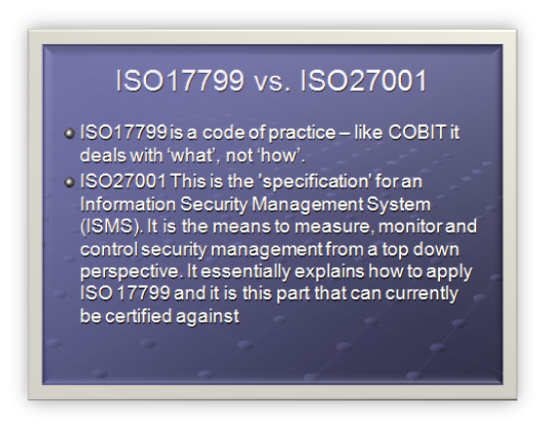
ISO17799 vs. ISO27001

  • ISO17799 is a code of practice – like COBIT it deals with ‘what’, not ‘how’.
  • ISO27001 This is the ‘specification’ for an Information Security Management System (ISMS). It is the means to measure, monitor and control security management from a top down perspective. It essentially explains how to apply ISO 17799 and it is this part that can currently be certified against

Unlike COBIT, ISO17799 does not include any maturity model sections for evaluation. (incidentally, nor does ISO9000)

ISO 17799 is a code of practice for information security. It details hundreds of specific controls which may be applied to secure information and related assets. It comprises 115 pages organized over 15 major sections.

ISO 27001 is a specification for an Information Security Management System, sometimes abbreviated to ISMS. It is the foundation for third party audit and certification. It is quite small because it doesn’t actually list the controls, but more a methodology for auditing and measuring. It comprises 34 pages over 8 major sections.

ISO17799 is:

  • an implementation guide based on suggestions.
  • used as a means to evaluate and build a sound and comprehensive information security program.
  • a list of controls an organization "should" consider.

ISO27001 is:

  • an auditing guide based on requirements.
  • used as a means to audit an organizations information security management system.
  • a list of controls an organization "shall" address.

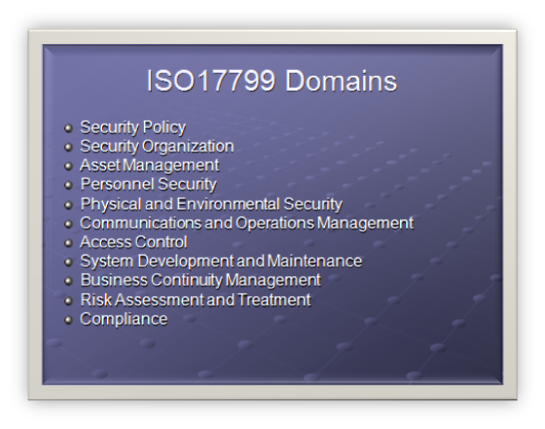
ISO17799 Domains

  • Security Policy
  • Security Organization
  • Asset Management
  • Personnel Security
  • Physical and Environmental Security
  • Communications and Operations Management
  • Access Control
  • System Development and Maintenance
  • Business Continuity Management
  • Risk Assessment and Treatment
  • Compliance

ISO17799 divides up security into 12 domains.

Within each domain, information security control objectives (if you recall that is he same terminology as COBIT) are specified and a range of controls are outlined that are generally regarded as best practice means of achieving those objectives.

For each of the controls, implementation guidance is provided.

Specific controls are not mandated since each organization is expected to undertake a structured information security risk assessment process to determine its requirements before selecting controls that are appropriate to its particular circumstances (the introduction section outlines a risk assessment process

ISO/IEC 17799 is expected to be renamed ISO/IEC 27002 in 2007. The ISO/IEC 27000 series has been reserved for information security matters with a handful of related standards such as ISO/IEC 27001 having already been released and others such as ISO/IEC 27004 – Information Security Management Metrics and Measurement – currently in draft.

We will examine Asset Management domain as an example of ISO17799.

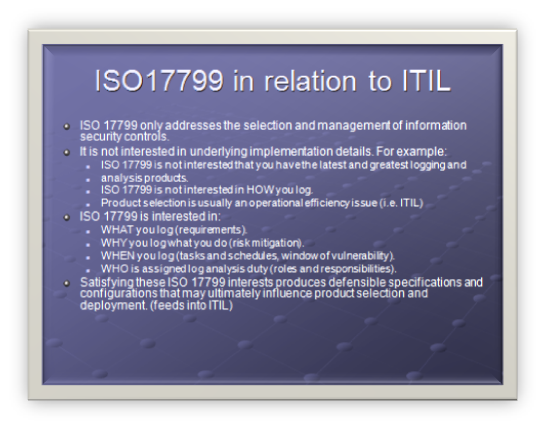
ISO17799 in relation to ITIL

  • ISO 17799 only addresses the selection and management of information security controls.
  • It is not interested in underlying implementation details. For example:
    • ISO 17799 is not interested that you have the latest and greatest logging and analysis products.
    • ISO 17799 is not interested in HOW you log.
    • Product selection is usually an operational efficiency issue (i.e. ITIL)
  • ISO 17799 is interested in:
    • WHAT you log (requirements).
    • WHY you log what you do (risk mitigation).
    • WHEN you log (tasks and schedules, window of vulnerability).
    • WHO is assigned log analysis duty (roles and responsibilities).
  • Satisfying these ISO 17799 interests produces defensible specifications and configurations that may ultimately influence product selection and deployment. (feeds into ITIL)

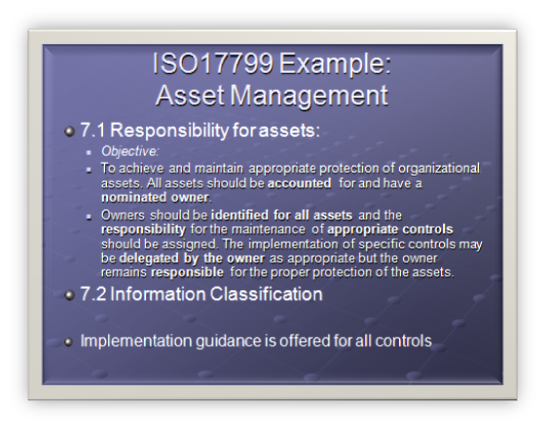
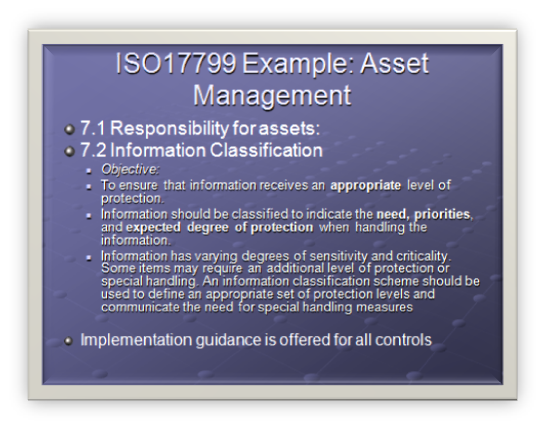
ISO17799 Example: Asset Management

  • 7.1 Responsibility for assets:
    • Objective:
    • To achieve and maintain appropriate protection of organizational assets. All assets should be accounted for and have a nominated owner.
    • Owners should be identified for all assets and the responsibility for the maintenance of appropriate controls should be assigned. The implementation of specific controls may be delegated by the owner as appropriate but the owner remains responsible for the proper protection of the assets.
  • 7.2 Information Classification
  • Implementation guidance is offered for all controls

Domain: Asset Management

7 Asset management

Control 7.1 Responsibility for assets

Control Objective: To achieve and maintain appropriate protection of organizational assets. All assets should be accounted for and have a nominated owner. Owners should be identified for all assets and the responsibility for the maintenance of appropriate controls should be assigned. The implementation of specific controls may be delegated by the owner as appropriate but the owner remains responsible for the proper protection of the assets.

7.1.1 Inventory of assets

Control

All assets should be clearly identified and an inventory of all important assets drawn up and maintained.

Implementation guidance

An organization should identify all assets and document the importance of these assets. The asset inventory should include all information necessary in order to recover from a disaster, including type of asset, format, location, backup information, license information, and a business value. The inventory should not duplicate other inventories unnecessarily, but it should be ensured that the content is aligned. In addition, ownership (see 7.1.2) and information classification (see 7.2) should be agreed and documented for each of the assets. Based on the importance of the asset, its business value and its security classification, levels of protection commensurate with the importance of the assets should be identified

Other information

There are many types of assets, including:

  • information: databases and data files, contracts and agreements, system documentation, research information, user manuals, training material, operational or support procedures, business continuity plans, fallback arrangements, audit trails, and archived information;
  • software assets: application software, system software, development tools, and utilities;
  • physical assets: computer equipment, communications equipment, removable media, and other equipment;
  • services: computing and communications services, general utilities, e.g. heating, lighting,power, and air-conditioning;
  • people, and their qualifications, skills, and experience;
  • intangibles, such as reputation and image of the organization.

Inventories of assets help to ensure that effective asset protection takes place, and may also be required for other business purposes, such as health and safety, insurance or financial (asset management) reasons. The process of compiling an inventory of assets is an important prerequisite of risk management

7.1.2 Ownership of assets

Control

All information and assets associated with information processing facilities should be owned2 by a designated part of the organization.

Implementation guidance

The asset owner should be responsible for:

  • ensuring that information and assets associated with information processing facilities are appropriately classified;
  • defining and periodically reviewing access restrictions and classifications, taking into account applicable access control policies.

Ownership may be allocated to:

  • a business process;
  • a defined set of activities;
  • an application; or
  • a defined set of data.

Other information

Routine tasks may be delegated, e.g. to a custodian looking after the asset on a daily bsis, but the responsibility remains with the owner.

In complex information systems it may be useful to designate groups of assets, which act together to provide a particular function as ‘services’. In this case the service owner is responsible for the delivery of the service, including the functioning of the assets, which provide it.

7.1.3 Acceptable use of assets

Control

Rules for the acceptable use of information and assets associated with information processing facilities should be identified, documented, and implemented.

Implementation guidance

All employees, contractors and third party users should follow rules for the acceptable use of information and assets associated with information processing facilities, including:

  • rules for electronic mail and Internet usages (see 10.8);
  • guidelines for the use of mobile devices, especially for the use outside the premises of the organization (see 11.7.1);

Specific rules or guidance should be provided by the relevant management. Employees, contractors and third party users using or having access to the organization’s assets should be aware of the limits existing for their use of organization’s information and assets associated with information processing facilities, and resources. They should be responsible for their use of any information processing resources, and of any such use carried out under their responsibility.

The term ‘owner’ identifies an individual or entity that has approved management responsibility for controlling the production, development, maintenance, use and security of the assets. The term ‘owner’ does not mean that the person actually has any property rights to the asset.

ISO17799 Example: Asset Management

  • 7.1 Responsibility for assets:
  • 7.2 Information Classification
    • Objective:
    • To ensure that information receives an appropriate level of protection.
    • Information should be classified to indicate the need, priorities, and expected degree of protection when handling the information.
    • Information has varying degrees of sensitivity and criticality. Some items may require an additional level of protection or special handling. An information classification scheme should be used to define an appropriate set of protection levels and communicate the need for special handling measures
  • Implementation guidance is offered for all controls

7.2 Information classification

Objective: To ensure that information receives an appropriate level of protection.

Information should be classified to indicate the need, priorities, and expected degree of protection when handling the information.

Information has varying degrees of sensitivity and criticality. Some items may require an additional level of protection or special handling. An information classification scheme should be used to define an appropriate set of protection levels and communicate the need for special handling measures.

7.2.1 Classification guidelines

Control

Information should be classified in terms of its value, legal requirements, sensitivity, and criticality to the organization.

Implementation guidance

Classifications and associated protective controls for information should take account of business needs for sharing or restricting information and the business impacts associated with such needs. Classification guidelines should include conventions for initial classification and reclassification over time; in accordance with some predetermined access control policy (see 11.1.1). It should be the responsibility of the asset owner (see 7.1.2) to define the classification of an asset, periodically review it, and ensure it is kept up to date and at the appropriate level. The classification should take account of the aggregation effect mentioned in 10.7.2. Consideration should be given to the number of classification categories and the benefits to be gained from their use. Overly complex schemes may become cumbersome and uneconomic to use or prove impractical. Care should be taken in interpreting classification labels on documents from other organizations, which may have different definitions for the same or similarly named labels.

Other Information

The level of protection can be assessed by analyzing confidentiality, integrity and availability and any other requirements for the information considered.

Information often ceases to be sensitive or critical after a certain period of time, for example, when the information has been made public. These aspects should be taken into account, as over-classification can lead to the implementation of unnecessary controls resulting in additional expense.

Considering documents with similar security requirements together when assigning classification levels might help to simplify the classification task.

In general, the classification given to information is a shorthand way of determining how this information is to be handled and protected.

7.2.2 Information labeling and handling

Control

An appropriate set of procedures for information labeling and handling should be developed and implemented in accordance with the classification scheme adopted by the organization.

Implementation guidance

Procedures for information labeling need to cover information assets in physical and electronic formats.

Output from systems containing information that is classified as being sensitive or critical should carry an appropriate classification label (in the output). The labeling should reflect the classification according to the rules established in 7.2.1. Items for consideration include printed reports, screen displays, recorded media (e.g. tapes, disks, CDs), electronic messages, and file transfers. For each classification level, handling procedures including the secure processing, storage, transmission, declassification, and destruction should be defined. This should also include the procedures for chain of custody and logging of any security relevant event. Agreements with other organizations that include information sharing should include procedures to identify the classification of that information and to interpret the classification labels from other organizations.

Other Information

Labeling and secure handling of classified information is a key requirement for information sharing arrangements. Physical labels are a common form of labeling. However, some information assets, such as documents in electronic form, cannot be physically labeled and electronic means of labeling need to be used. For example, notification labeling may appear on the screen or display. Where labeling is not feasible, other means of designating the classification of information may be applied, e.g. via procedures or meta-data.

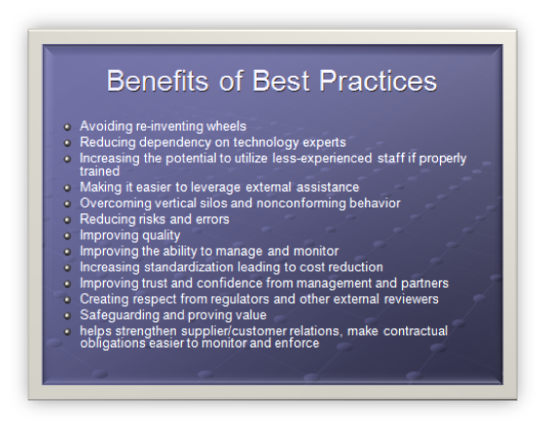
Benefits of Best Practices

  • Avoiding re-inventing wheels
  • Reducing dependency on technology experts
  • Increasing the potential to utilize less-experienced staff if properly trained
  • Making it easier to leverage external assistance
  • Overcoming vertical silos and nonconforming behavior
  • Reducing risks and errors
  • Improving quality
  • Improving the ability to manage and monitor
  • Increasing standardization leading to cost reduction
  • Improving trust and confidence from management and partners
  • Creating respect from regulators and other external reviewers
  • Safeguarding and proving value
  • Helps strengthen supplier/customer relations, make contractual obligations easier to monitor and enforce

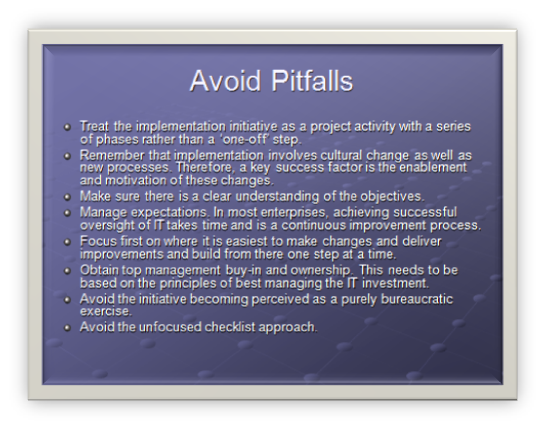
There are also some obvious, but pragmatic, rules that management ought to follow:

  • Treat the implementation initiative as a project activity with a series of phases rather than a ‘one-off’ step.
  • Remember that implementation involves cultural change as well as new processes. Therefore, a key success factor is the enablement and motivation of these changes.
  • Make sure there is a clear understanding of the objectives.
  • Manage expectations. In most enterprises, achieving successful oversight of IT takes time and is a continuous improvement process.
  • Focus first on where it is easiest to make changes and deliver improvements and build from there one step at a time.
  • Obtain top management buy-in and ownership. This needs to be based on the principles of best managing the IT investment.
  • Avoid the initiative becoming perceived as a purely bureaucratic exercise.
  • Avoid the unfocused checklist approach.

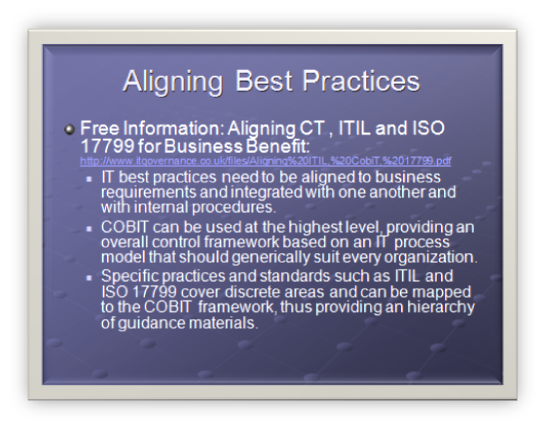
Free Information: Aligning CT , ITIL and ISO 17799 for Business Benefit: http://www.itgovernance.co.uk/files/Aligning%20ITIL,%20CobiT,%2017799.pdf

  • IT best practices need to be aligned to business requirements and integrated with one another and with internal procedures.
  • COBIT can be used at the highest level, providing an overall control framework based on an IT process model that should generically suit every organization.
  • Specific practices and standards such as ITIL and ISO 17799 cover discrete areas and can be mapped to the COBIT framework, thus providing an hierarchy of guidance materials.


IT Governance Standards: COBIT, ISO17799/27001, ITIL and PMBOK – Part 3

The content of this blog is essentially material I compiled for training sessions that I ran last year. It was originally PowerPoint, but I hope that this blog version is useful. Some of the legislative stuff is probably now out of date, and it was for an Australian audience – moral of the story is to do your own research.

For part 1 of this presentation, view this post and part 2 this post.

Continue reading “IT Governance Standards: COBIT, ISO17799/27001, ITIL and PMBOK – Part 3”


IT Governance Standards: COBIT, ISO17799/27001, ITIL and PMBOK – Part 2

The content of this blog is essentially material I compiled for training sessions that I ran last year. It was originally PowerPoint, but I hope that this blog version is useful. Some of the legislative stuff is probably now out of date, and it was for an Australian audience – moral of the story is to do your own research.

For part 1 of this presentation, view this post.

Continue reading “IT Governance Standards: COBIT, ISO17799/27001, ITIL and PMBOK – Part 2”


IT Governance Standards: COBIT, ISO17799/27001, ITIL and PMBOK – Part 1

The content of this blog is essentially material I compiled for training sessions that I ran last year. It was originally PowerPoint, but I hope that this blog version is useful. Some of the legislative stuff is probably now out of date, and it was for an Australian audience – moral of the story is to do your own research!
Here is our agenda:

  • IT Compliance introduction
  • US, Australian and EU laws
  • Introduction to Best Practice Frameworks
  • Introduction to COBIT with example
  • Introduction to ITIL with example
  • Introduction to ISO17799 with example
  • Making them play together

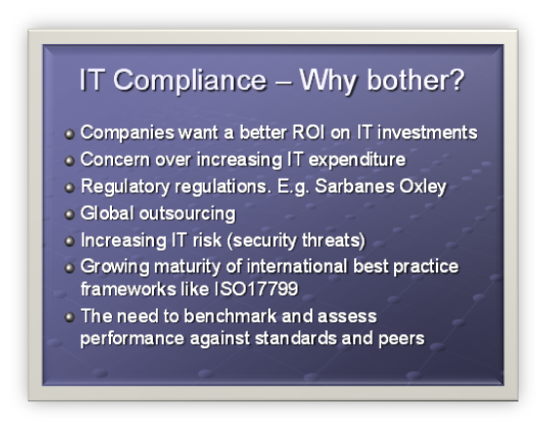
IT Compliance – Why bother?

  • Companies want a better ROI on IT investments
  • Concern over increasing IT expenditure
  • Regulatory regulations. E.g. Sarbanes Oxley
  • Global outsourcing
  • Increasing IT risk (security threats)
  • Growing maturity of international best practice frameworks like ISO17799
  • The need to benchmark and assess performance against standards and peers

There has been a huge increase in the adoption of IT best practices in the last few years. There are a few reasons for this, but fundamentally its driven by a requirement for to improve the quality and reliability of IT in an organization which in turn is in response to a growing number of regulatory and contractual requirements.

IT best practices are important because:

  • Management of IT is critical to the success of enterprise strategy.
  • They help enable effective governance of IT activities.
  • A management framework is needed so everyone knows what to do (policy, internal controls and defined practices).
  • They provide many benefits, including efficiency gains, less reliance on experts, fewer errors, increased trust from business partners and respect from regulators.
IT Governance – Costly?

  • It has the potential to be costly
  • You need to keep it current (avoid shelfware)
  • You need to train staff
  • If you don’t understand *why* it is needed, you will fail
  • Without board level buy-in, it will probably fail (then they will ask for it within 1 week)
  • Should not be treated as technical guidance, but business guidance

There is a danger, however, that any implementation of these potentially helpful best practices will be costly and unfocused if they are treated as purely technical guidance.

Standards and best practices are not a panacea, and their effectiveness depends on several factors.

Firstly they have to be kept up to date. Implementing these standards is not a once off operation that is set and forget. In a lot of organizations it requires a high level of commitment, a change of mindset and importantly a change of habits. To deliver this, staff need the appropriate level of training and sometimes IT departments need to re-organize.

Note: IT departments historically are not well experienced with implementing IT best practice standards, however many other departments within an organization are. We will get into why this has to change (and is changing) further into the presentation.

Standards have to be applied within the business point of view, with the focus on where their use would provide the most benefit to the organization. That primarily is driven by financial considerations, which we will look into a little later.

Note: IT Departments generally are becoming more business focused, despite the relative inexperience when it comes to IT Compliance standards.

So for best practice standards to be effective, all the levels from business management, IT management, auditors, compliance officers, infrastructure and operational staff need to work together to make sure that IT best practices actually lead to cost-effective and well-controlled IT delivery.

The only way to get that level of buy-in and commitment often requires board or senior management level sponsorship. In this model, management have the clout to ‘make it happen’.

Best practice standards are most useful when applied as a set of principles and as a starting point for tailoring specific procedures. To avoid practices becoming ‘shelfware’, management and staff must understand what to do, how to do it and why it is important.

Any implementation of best practice should be consistent with the any existing risk management and control framework. For example many engineering service companies certify to ISO9000/9001 for quality process. We do not want apply principles or practices that are not compatible with this.
You *will* be asked

  • It is often not IT dept choice.
  • Most likely it will come from board level based on business investments that have legislative requirements
  • Its amazing how interested company directors become in compliance when they realize their personal liabilities!

More often than not, IT departments have best practice standards thrust upon them. This is particularly true for US and UK companies, but increasingly for Australian and EU companies as well. This is the often the least ideal situation, since the scope is probably bigger than you expect, the timeframe is less than you expect and the likelihood of a poor implementation is increased.

The main driver for this trend has been legislative and legal requirements put upon organizations. Often these requirements explicitly define Company directors liability.

Another big driver is competitive advantage. I have personally had two occasions where a client asked for implementation details of ISO17799. In both cases, we were completely unprepared for this and management naively thought I could knock it out in a couple of days!

In the next section we will look at the US legislation that has had the biggest impact on compliance standards in the last few years.
Sarbanes Oxley (SOX)

  • Board level accountability in the wake of Enron/Worldcom type scandals
  • Who’s affected: USA corporate subsidiaries, appointed auditors or financials advisors to these companies in Australia or Australian companies listing on the USA markets or those that have joint projects with US companies.
  • Requirement that companies evaluate and disclose the effectiveness of their internal controls as they relate to financial reporting
  • Directors directly liable for the companies they control.
  • SOX recognizes COBIT as the methodology for assessing IT control effectiveness

The Sarbanes-Oxley Act is a significant piece of US federal legislation that was signed into law by President Bush on July 30, 2002 in response to corporate failures such as Enron, WorldCom and the many other corporate accounting scandals that have plagued the US in recent years. It is already having far reaching effects on US public companies, their management, auditors and procedures relating to reporting protocols to US regulatory authorities. The Act also applies to Australian companies and nationals with US parents or who have a significant business-to-business relationship with a publicly owned US company. Compliance to the act is compulsory and has significant repercussions for CFO’s, CEO’s, Board members and Directors of Australian companies. http://www.austrade.gov.au/australia/layout/0,,0_S2-1_1zg-2_2-3_PWB110371167-4_main-5_-6_-7_,00.html

The Sarbanes-Oxley Act’s major provisions include:

  • Creation of the Public Company Accounting Oversight Board (PCAOB)
  • A requirement that public companies evaluate and disclose the effectiveness of their internal controls as they relate to financial reporting, and that independent auditors for such companies "attest" (i.e., agree, or qualify) to such disclosure
  • Certification of financial reports by chief executive officers and chief financial officers
  • Auditor independence, including outright bans on certain types of work for audit clients and pre-certification by the company’s Audit Committee of all other non-audit work
  • A requirement that companies listed on stock exchanges have fully independent audit committees that oversee the relationship between the company and its auditor
  • Ban on most personal loans to any executive officer or director
  • Additional disclosure
  • Enhanced criminal and civil penalties for violations of securities law
  • Significantly longer maximum jail sentences and larger fines for corporate executives who knowingly and willfully misstate financial statements, although maximum sentences are largely irrelevant because of the ability of judges to declare consecutive sentences under the Federal Sentencing Guidelines

COBIT was developed before SOX, and was given higher prominence when the SOX legislation recognized COBIT as the means to provide the assurance for IT internal controls.
It’s a US law, we are not affected!

  • The European Union has been considering SOX type controls prior to US adoption of SOX (FSAP)

"Even with, or perhaps so, the three tiers of regulatory bodies in Europe, there are no pan-European requirements for specific internal controls. Given this fact, EU demand for SOX equivalent IT solutions is currently more limited than the US. Over the next three to five years, however, as member states fully embrace EU directives and regulations, the demand for country-compatible or regional IT compliance solutions is expected to grow. And, as Europe strives for higher investor confidence, there is the likelihood of additional, and perhaps more specific, requirements to come.

While EU codes are not as prescriptive as US laws, all of the guidance represents common bottom line goals. Companies will benefit if they can leverage internal experience with SOX by speaking to the benefit of technology in achieving compliance goals; that is, how specific applications and systems increase transparency, lock down network security, protect sensitive information, shore up financial reporting and ultimately improve all of the other business processes that support and justify investor confidence.

http://www.itcinstitute.com/display.aspx?id=466

EU Financial Services Action Plan (FSAP)

In June 1998, the Cardiff European Council invited the European Commission to table a framework for action to develop a single market in financial services. In May 1999, the Commission published a Communication containing a Financial Services Action Plan, which the Lisbon European Council endorsed in March 2000.

The FSAP is a set of 42 measures intended to fill gaps and remove barriers to create a legal and regulatory environment supporting the integration of EU financial markets by 2005. It has three aims:

  • the creation of a single EU wholesale market for financial services and products;
  • the creation of an open and secure financial retail market; and
  • implementation of state of the art prudential rules and supervision
EU Law continued..

  • The EU additionally has very strict privacy laws (Data Protection Directive 1998)
  • Sector specific compliance: HIPAA, BASEL II

EU Data Protection Act

Personal data are defined as "any information relating to an identified or identifiable natural person ("data subject"); an identifiable person is one who can be identified, directly or indirectly, in particular by reference to an identification number or to one or more factors specific to his physical, physiological, mental, economic, cultural or social identity;"

The notion processing means "any operation or set of operations which is performed upon personal data, whether or not by automatic means, such as collection, recording, organization, storage, adaptation or alteration, retrieval, consultation, use, disclosure by transmission, dissemination or otherwise making available, alignment or combination, blocking, erasure or destruction;" (art. 2 b)

Principles

Personal data should not be processed at all, except when certain conditions are met. These conditions fall into three categories: transparency, legitimate purpose and proportionality.

Transparency

The data subject has the right to be informed when his personal data are being processed. The controller must provide his name and address, the purpose of processing, the recipients of the data and all other information required to ensure the processing is fair. (art. 10 and 11)

Data may be processed only under the following circumstances (art. 7):

  • when the data subject has given his consent
  • when the processing is necessary for the performance of or the entering into a contract
  • when processing is necessary for compliance with a legal obligation
  • when processing is necessary in order to protect the vital interests of the data subject
  • processing is necessary for the performance of a task carried out in the public interest or in the exercise of official authority vested in the controller or in a third party to whom the data are disclosed
  • processing is necessary for the purposes of the legitimate interests pursued by the controller or by the third party or parties to whom the data are disclosed, except where such interests are overridden by the interests for fundamental rights and freedoms of the data subject

The data subject has the right to access all data processed about him. The data subject even has the right to demand the rectification, deletion or blocking of data that is incomplete, inaccurate or isn’t being processed in compliance with the data protection rules. (art. 12)

Legitimate Purpose

Personal data can only be processed for specified, explicit and legitimate purposes and may not be processed further in a way incompatible with those purposes. (art. 6 b)

Proportionality

Personal data may be processed only insofar as it is adequate, relevant and not excessive in relation to the purposes for which they are collected and/or further processed. The data shouldn’t be kept in a form which permits identification of data subjects for longer than is necessary for the purposes for which the data were collected or for which they are further processed. Member States shall lay down appropriate safeguards for personal data stored for longer periods for historical, statistical or scientific use. (art. 6)

Basel II

Basel II, also called The New Accord (correct full name is the International Convergence of Capital Measurement and Capital Standards – A Revised Framework) is the second Basel Accord and represents recommendations by bank supervisors and central bankers from the 13 countries making up the Basel Committee on Banking Supervision to revise the international standards for measuring the adequacy of a bank’s capital. It was created to promote greater consistency in the way banks and banking regulators approach risk management across national borders. The Bank for International Settlements (often confused with the BCBS) supplies the secretariat for the BCBS and is not itself the BCBS
The Australian Perspective

  • Australian government has recognized the business cost of SOX type compliance and does not want to follow the US model
  • DOCIT produced a "IT Security and Governance" whitepaper
  • Corporations Act 2001. Uphold Due Care
  • Privacy Act 1988 Protecting Information
  • ATO 2005/9 Income Tax Record keeping
  • ASX Principles of Good Corporate Governance
  • AS 4360 Risk Management Framework

"SOX is seen by many organizations as a major cost to profit and manpower" (http://money.cnn.com/2006/03/21/news/companies/compliance_complaints/index.htm)

"A global study from European accountants Mazars, found that close to 20% of EU companies are planning to de-list from the US market to avoid complying and more than half feel the costs outweigh the benefits" http://www.laywersweekly.com.au/articles/9D/0C043D9D.asp?Type=53&Category=853

However this has the potential to impact on the cost of credit for such companies as warned in July 2006 by Moodys. "The cost of capital for public companies in countries that choose not to implement US Sarbanes-Oxley (SOX) type corporate governance rules may soon increase to reflect the additional risk premium resulting from companies and their auditors concealing the true level of audit risk"

At present the Australian government is not planning to introduce SOX type legislation, instead believing that the current regulatory provisions are adequate. Major legislation includes: Corporations Act 2001. Uphold Due Care, Privacy Act 1988 Protecting Information, ATO 2005/9 Income Tax Record keeping, ASX Principles of Good Corporate Governance, AS 4360 Risk Management Framework.

The Department of Communications, Information Technology and the Arts (DOCIT) on behalf of the Information Technology Security Expert Advisory Group (ITSEAG) engaged KPMG to produce a report on the governance of IT and information security matters for the corporate governance needs of Australian companies.

They identified 3 main observations to the risk landscape of ICT.

  • There is a growing gap between the rate of technology adoption and the rate of controls adoption
  • Convergence of technologies has led to a convergence of risk, greatly increasing the the potential impact to the business
  • Increased dependences on technology has greatly increased the potential impacts in the event of failure.

They identified 3 main categories representing the greatest threats to critical infrastructure

  • Human Error
  • System Failure
  • Malicious Software

They then define security governance as "implementing a culture of accountability in order for effective security management to take place". They refer to the ISO17799 as the model for their "Enteprise Security Architecture Model".

Note the use of the term accountability. It is a recurring theme across all best practice standards.
Why stop at one!

  • COBIT v4
  • ISO17799/ISO27001
  • ITIL
  • PMBOK
  • SEI CMM
  • COSO ERM

We have established that there are legislative/business reasons for best practice. But where to start?

  • ITIL—Published by the UK government to provide best practices for IT service management
  • COBIT—Published by ITGI and positioned as a high-level governance and control framework. COBIT stands for Control Objectives for Information and related Technology. IT Controls, measures, and processes
  • ISO/IEC 17799—Published by the International Organization for Standardization (ISO) and International Electro technical Commission (IEC) and derived from the UK government’s BS 7799 to provide a framework of a standard for information security management Code of practice for information security management . It Security Best Practice
  • PMBOK – Project Management Body of Knowledge . Project Management best practice (PMP certification)
  • SEI CMM – Software Engineering Institute (SEI) Capability Maturity Model. Software Development Life Cycle
  • COSO ERM – Committee of Sponsoring Organizations of the Treadway Commission. Enterprise risk management — Integrated Framework.
Framework Interaction

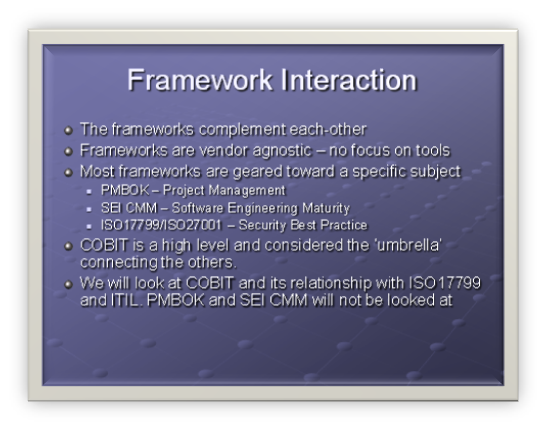
  • The frameworks complement each-other
  • Frameworks are vendor agnostic – no focus on tools
  • Most frameworks are geared toward a specific subject
  • PMBOK – Project Management
  • SEI CMM – Software Engineering Maturity
  • ISO17799/ISO27001 – Security Best Practice
  • COBIT is a high level and considered the ‘umbrella’ connecting the others.
  • We will look at COBIT and its relationship with ISO17799 and ITIL. PMBOK and SEI CMM will not be looked at

For the second half of this topic, consult this post.


SharePoint “Features” in plain English


Features in SharePoint seem to be somewhat misunderstood. Maybe I just deal with too many people who do not seem willing to RTFM (and in the 2007 incarnation of SharePoint, that’s simply asking for trouble).

So.. ‘Features’. Here is the MSDN blurb..

"Microsoft Windows SharePoint Services 3.0 introduces an inherently portable and modular functionality known as a feature, which simplifies modification of sites through site definitions. A feature is a package of Windows SharePoint Services elements that can be activated for a specific scope and that helps users accomplish a particular goal or task".

Clever Workarounds Translation: "Features provide a method to add/customise many areas of SharePoint. "

Wasn’t my explanation so much simpler!

Okay, so what does that mean to me? Well, if you are a SharePoint application developer or a web designer, chances are that if you are customising a SharePoint system in a medium to large scale enterprise, you will find that the usage of features are mandated by those annoying sysadmins and governance nazis who never make anything easy for you.

Here’s your real world example to go with the explanation. We have a cast of characters…

  • Webdesigner: Friendly and completely metrosexual.
  • Sysadmin Nazi: Nerdy, no fashion sense and generally sullen when asked to do something.
  • Site Owners: Non techy staff within various business units who have some administrative responsibility for one or more areas within the SharePoint farm. Opening a web browser and navigating to favourites is considered a technical acheivement.
  • Corporate communications and PR: Determine branding and responsible for marketing related matters. Second only to senior management in terms of being technically inept.

Scenario A:

Our metrosexual webdesigner has cracked out [insert flavour of the month HTML editor here] and customised the SharePoint default page by adding a couple of CSS files with associated style images, perhaps added some flash too. ‘Just upload them to the style library in each site’, they say. Your SharePoint infrastructure manager (hereby known as sysadmin nazi), gets even more bitter and twisted than usual, having to do this task for the 35 sites currently installed on the SharePoint farm. What’s more, they only had a single shot latte that morning and hit the wall early.. so they were inconsistent with the last few sites and missed a few files.

Clever Workaround rating: "weenies"

Now no-one wants to be labeled a weenie, so let’s see if we can make this more clever.

Scenario B:

Aforementioned webdesigner is handed a SharePoint governance document by smug sysadmin nazi who mandates amongst other things, that they must package up all of their files as a ‘feature’. After grumbling about red tape, they finally accept the fact that the sysadmin nazi won’t allow their change into production and they eventually produce a feature folder. Sysadmin nazi installs the feature onto the SharePoint farm once only, then sends a mail to the 35 site owners advising them to activate the "branding feature" on their sites.  Each site owner who does so has the identical configuration modified so it is all nice and consistent.

Clever Workaround rating: "moderately clever"

So in case it’s not obvious, the nice thing about a feature is that once installed by the server/farm administrator, it can be activated by site owners on a case by case basis. Not only can it be activated, it can also be deactivated too. (Some comments with regard to this are in a forthcoming post). The thing to note is the decision to activate/deactivate a feature is made by the site owner, not the farm administrator. So the implication of this is that a feature doesn’t necessarily force change. A company with autonomous divisions may have totally different branding for their sites, and thus would not activate this feature for their sites.

Now let’s talk about updating features once they are installed.

To do this, let’s go back to our branding scenario where now, those arty farty corporate communications and branding dudes decide that the 1 pixel green line is not quite the right green and ask for it to be changed. (They get paid for this – go figure). The web designer (who by now has seen the light and offered some personal hygiene tips to sysadmin nazi) updates the CSS file and creates a new feature file for the sysadmin nazi. Sysadmin nazi installs it to the farm before heading to the vending machine for caffeine sustenance. The site administrators deactivate and then reactivate their feature on their sites at their leisure and the world is a happy place.

Okay, so at this point, let’s dive a little deeper…

To implement a Feature you add a subfolder containing a Feature definition within the Features setup directory. This is most likely located  in

C:\Program Files\Common Files\Microsoft Shared\web server extensions\12\TEMPLATE\FEATURES.

Within the subfolder in this directory, you include a Feature.xml file. This is the file that SharePoint looks for when a feature is installed. It includes a GUID (all features are unique via GUID), a title and the scope of the Feature. The scope tells SharePoint whether the Feature will be made available to an entire SharePoint farm, a site collection, or a site. SharePoint uses the Feature.xml file to also identify any supporting files like ASPX pages, dynamic-link libraries (DLLs), images, etc. Using this file, you can add customised components such as new Page Templates, List, Content Types, Web Parts, Workflow and events.

Below is the list of elements that a feature can install.

  1. Content Types: Contains a definition of a SharePoint content type.
  2. Content Type Binding: Actually applies a content type to a document library.
  3. Control: Allows you to replace existing controls on the page, such as the search or navigation with your own custom control.
  4. Custom Action: You can define custom actions such as add a new menu item in "Site Actions".
  5. Feature/Site Template Association: This allows you to bind a feature to a site template so that the feature is included in new sites based on that template.
  6. Field: Contains a field, or column definition that can be reused in multiple lists.
  7. Hide Custom Action: Opposite to "Custom Action", where you want to hide menu items.
  8. List Instance: Provisions a SharePoint site with a list which includes specific data.
  9. List Template: A list definition or template, which defines a list that can be provisioned to a SharePoint site.
  10. Module: Deploys files which are included when provisioning sites. (This is how branding can be deployed via feature).
  11. Receiver: Defines an event handler for a list, or document library.
  12. Workflow: Defines a workflow for a list, or document library. 

Next, I suggest you check my other post. This illustrates the creation and install of a basic feature.  In the meantime, I leave you with this thought for the day (If you have ever watched Jerry Springer, you know what I mean )

So, why did we need to digress into features? Three reasons.

The first one is that as a designer or developer, you will find that in the future people will not accept stuff from you unless it is a feature.

The second one is that as a graduate solutions architect or business development manager, if you use this word, you might just sound like you know what you are talking about during presales meetings.

The third reason is that this notion of features is actually quite fundamental to SharePoint. So much so that the differences between WSS3 and the more fully featured MOSS2007 is that MOSS2007 has features that do not come supplied with the free WSS.


« Previous Page

Today is: Thursday 4 June 2026 -